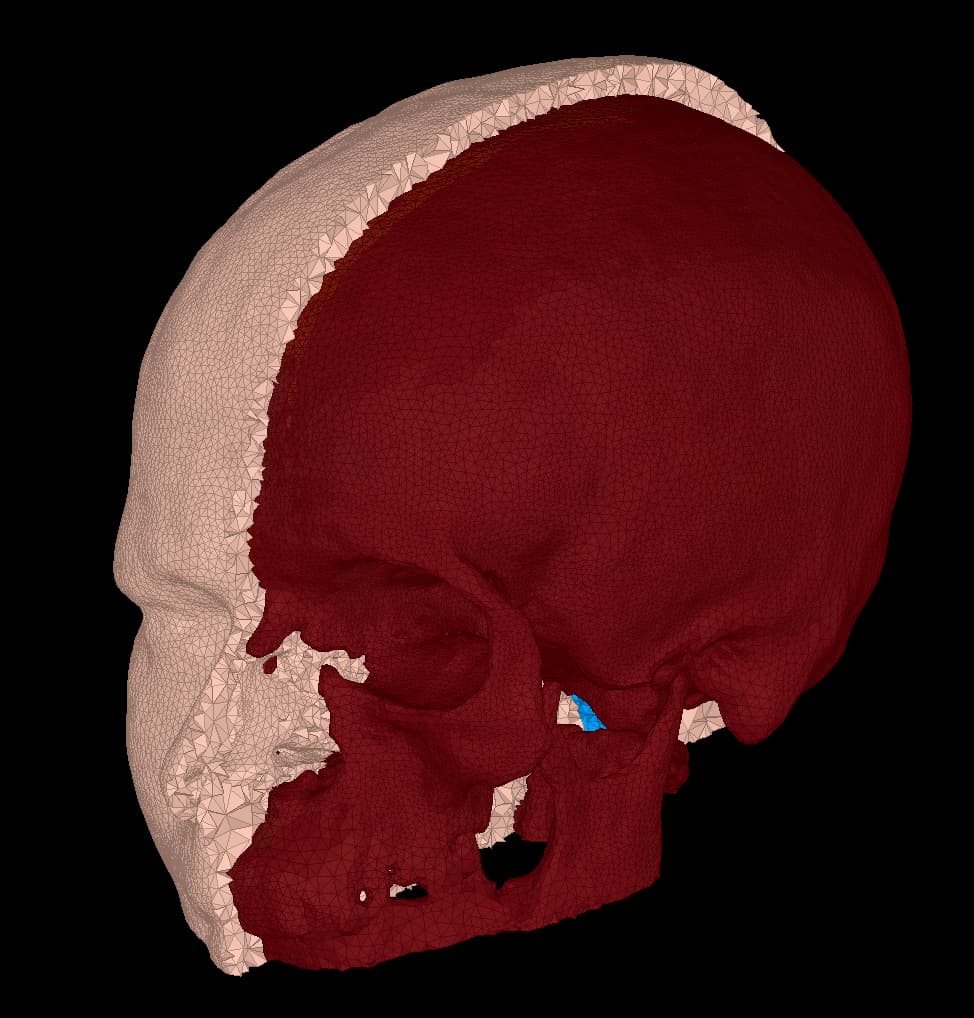
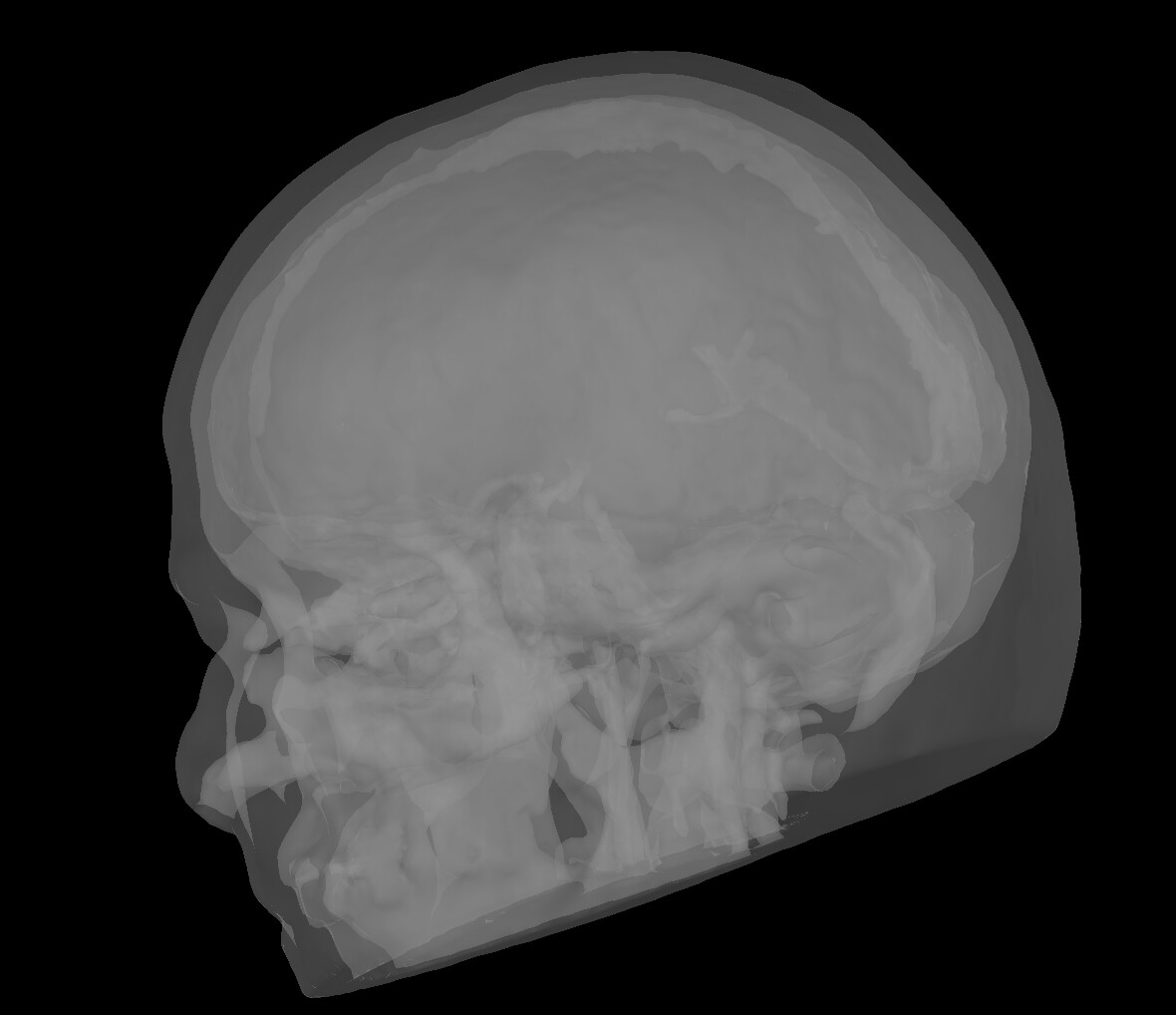
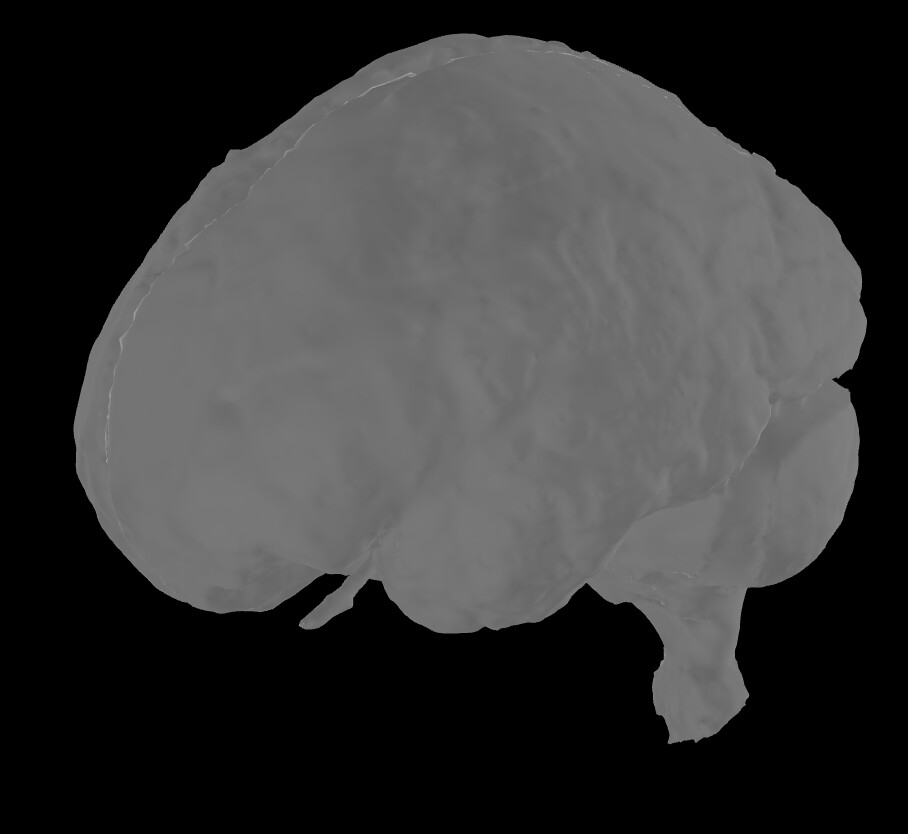
I am finding some quirky behaviour in the surface extraction tool from FEM model. When I display the FEM model, I obtain, for example, the right compact mask:
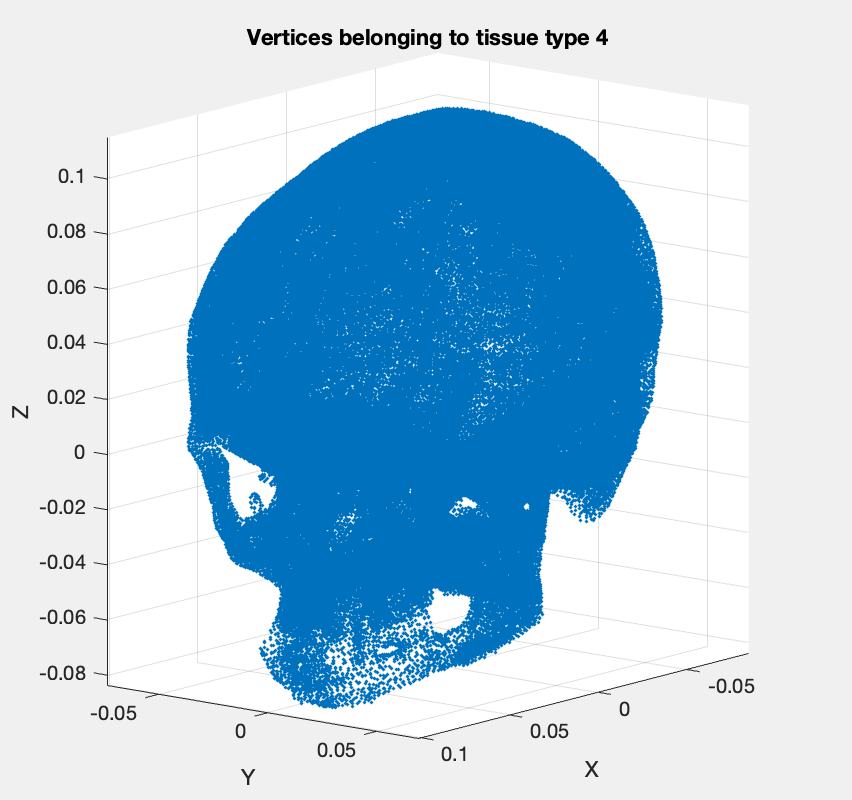
which does not really seem right. I have tried plotting in Matlab directly, suspecting a display issue, but, while if I plot the compact surface within the FEM (by exporting it in Matlab and selecting only the tissue labelled as compact), I get the right skull-like structure:
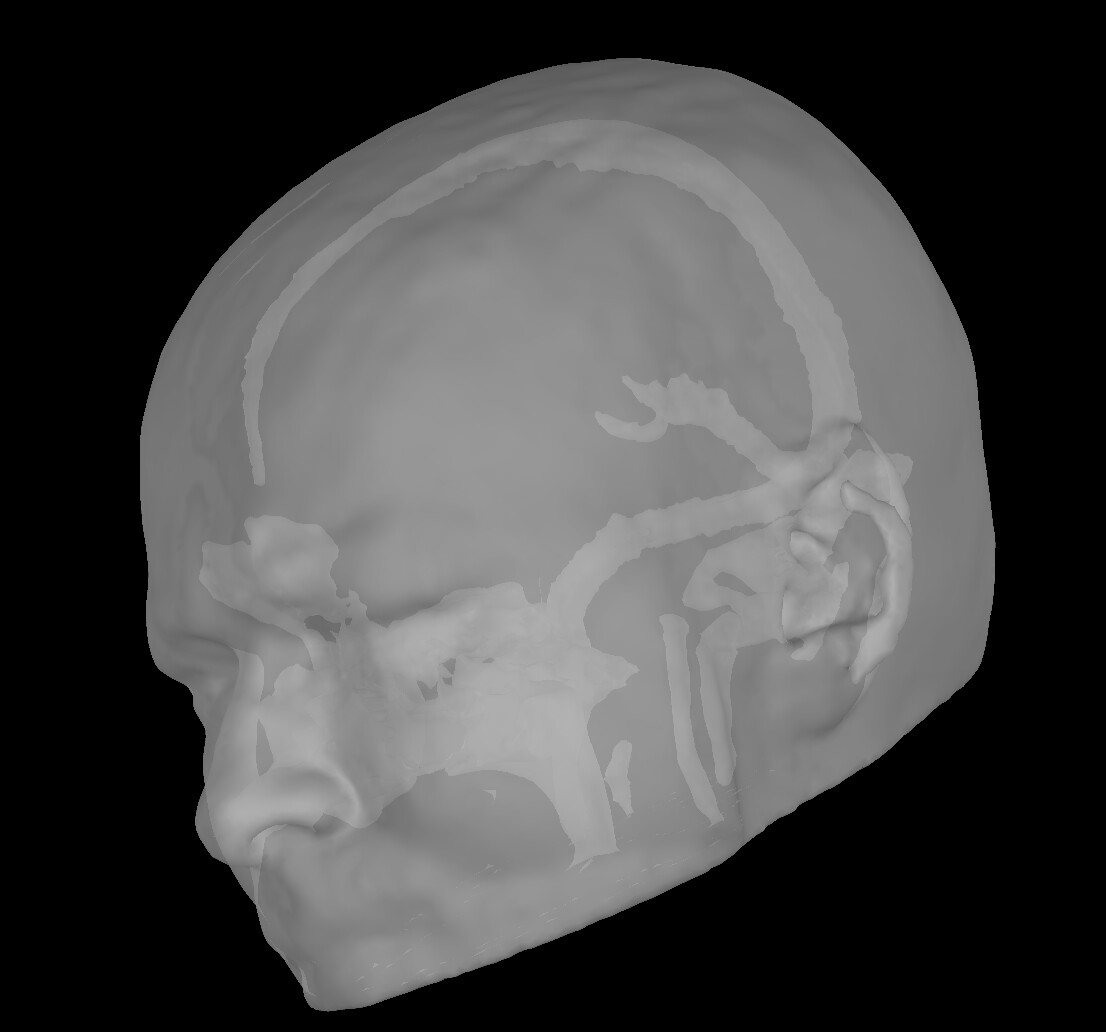
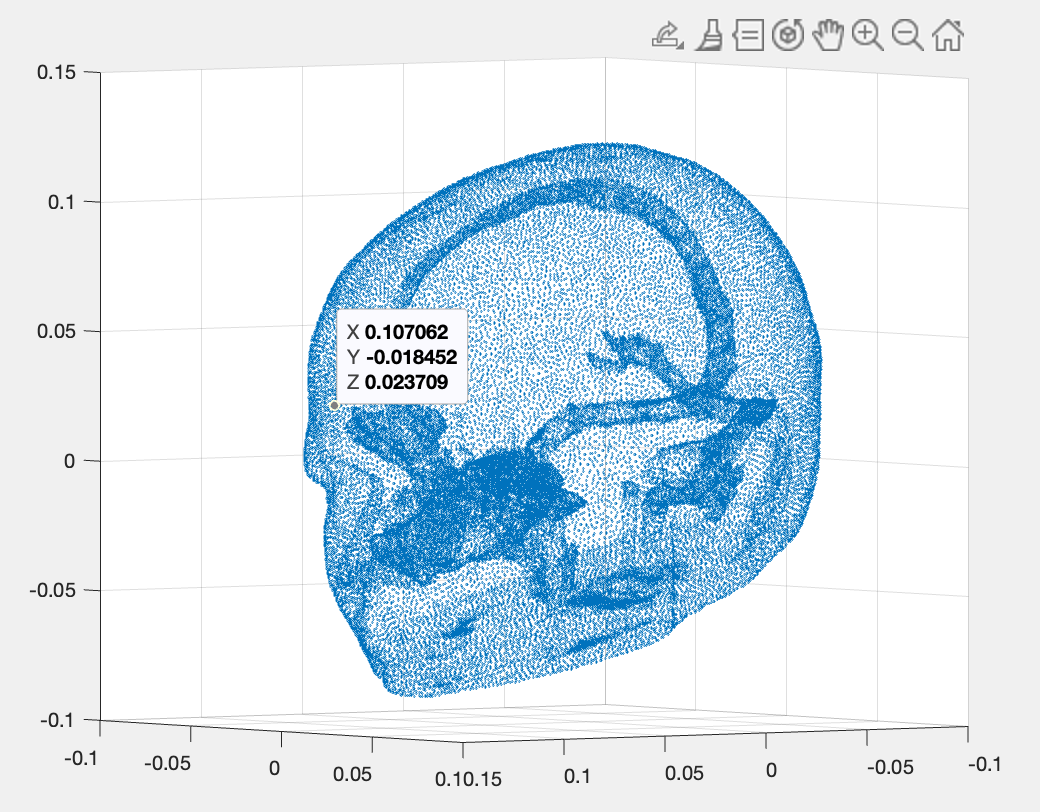
As a matter of fact, while the FEM model seems to do a good tissue characterisation, all the surfaces I have extracted within Brainstorm are wrong. For example, the scalp seems to have some skull embedded within
I was trying to extract the surfaces to remesh the model with isomesh, since I am obtaining the Coordinate is outside of the grid, or grid is not convex error when creating a head model (my sensors seem to be well aligned, and I cannot find any other issue). Now, though, I am wondering whether there is some surface characterisation issue also in this process?
You will find the dataset for this subject (but this also happens with other subjects) in this drive folder:
Hi @marco1994, thanks for the detailed post and the shared data.
Indeed, there is some strange behaviour. It can be tracked down to this line:
where a tissue mesh is created using all the elements of the previous tissues.
In the case of your data, the compact tissue is listed scalp so the compact mesh is computed using also the scalp elements.
@tmedani, this changed in commit 3e3bdbc , and it seems to reflect the creation of meshes from nested tissues (e.g, white matter is inside gray matter, etc.), and that works fine, however this does not hold well in more complex FEM modelling. What is the rationale of not creating the tissue mesh using only its elements?
@tmedani, in addition, the scalp looks strange for the same reason, it does not include elements of compact, that is why the scalp mesh has and hole of the same of compact. So, if we still go with the approach of nested meshes, we need to improve the detection of nested tissues, regardless their order in the FEM file
Thanks for reporting and investigating this issue.
Indeed, this function may not work in some complicated structures (non-hierarchical structures).
While the function is well tested for simple meshes (basic iso2mesh models) and some of the headreco models, it might indeed not work properly for the mesh generated by Charm, and for some complex structures like complete electrode modeling for sEEG or TES/DBS.
@Raymundo.Cassani The reason we concatenate the inner elements is to avoid generating the internal tissue surfaces, so that only the external surface of each tissue is extracted.
We have already examined the element IDs for surface extraction; however, when merging the extracted surfaces, this process creates many self-intersecting or duplicated surfaces, which the FEM mesh generators cannot handle. For example, the outer surface of the cortex corresponds to the inner surface of the CSF, the outer surface of the CSF corresponds to the inner surface of the skull, and so on. By extracting only the external surface of each volume, we avoid creating duplicated or self-intersecting boundaries, and ensure that the FEM mesh maintains a consistent nested structure across all tissues.
So, this is indeed a technical issue that needs to be addressed, especially when dealing with more complex meshes where overlapping boundaries are not properly handled. It is on one to-do list …..
One possible solution is to work directly with tissue volumes rather than relying on separate inner and outer surfaces.
@marco1994 is there any reason for extracting the surface for this model?
We recommend this option only if the Duneuro LF fails.
Thanks for the prompt reply! I have a dataset of 6 patients, 4 of whom have their personal T1 and T2 MRI scans, and 2 for whom I am using the ICBM152 standard anatomy. I am trying to study some deep sources, so I need a volumetric model, and I wanted to use the Simnibs4 because I understand it is the most accurate available on bst. I hence managed to create FEM models for all of them, but for only two of them the head model generation with Duneuro works just fine. For the other 4, I obtain the “Coordinate is outside of the grid, or grid is not convex” error. I checked the proper alignment of my sensors with the model, and they seemed to match, so I couldn’t figure out why it wasn't working. I then read that remeshing the FEM extracted surfaces with Iso2Mesh2021 can sometimes help if Duneuro fails, and here is where I got stuck.
As a follow-up to this discussion, I am wondering if the 2 FEM head models I managed to obtain are indeed valid. When I check the anatomy folder, I see that the skull and scalp that bst has automatically labelled are indeed wrong again, and I am wondering if they are taken into account in the head model computation with Duneuro or if they are just automatically extracted but not used by the toolbox.
If you think it could be useful to have the whole dataset, let me know and I will share it with you!