Hello,
I am trying to apply the detect head motion steps for my MEG data acquired using CTF.
This MEG data was acquired simultaneously with SEEG so we did not have head points on the scalp but just around the glasses and nose and mastoids.
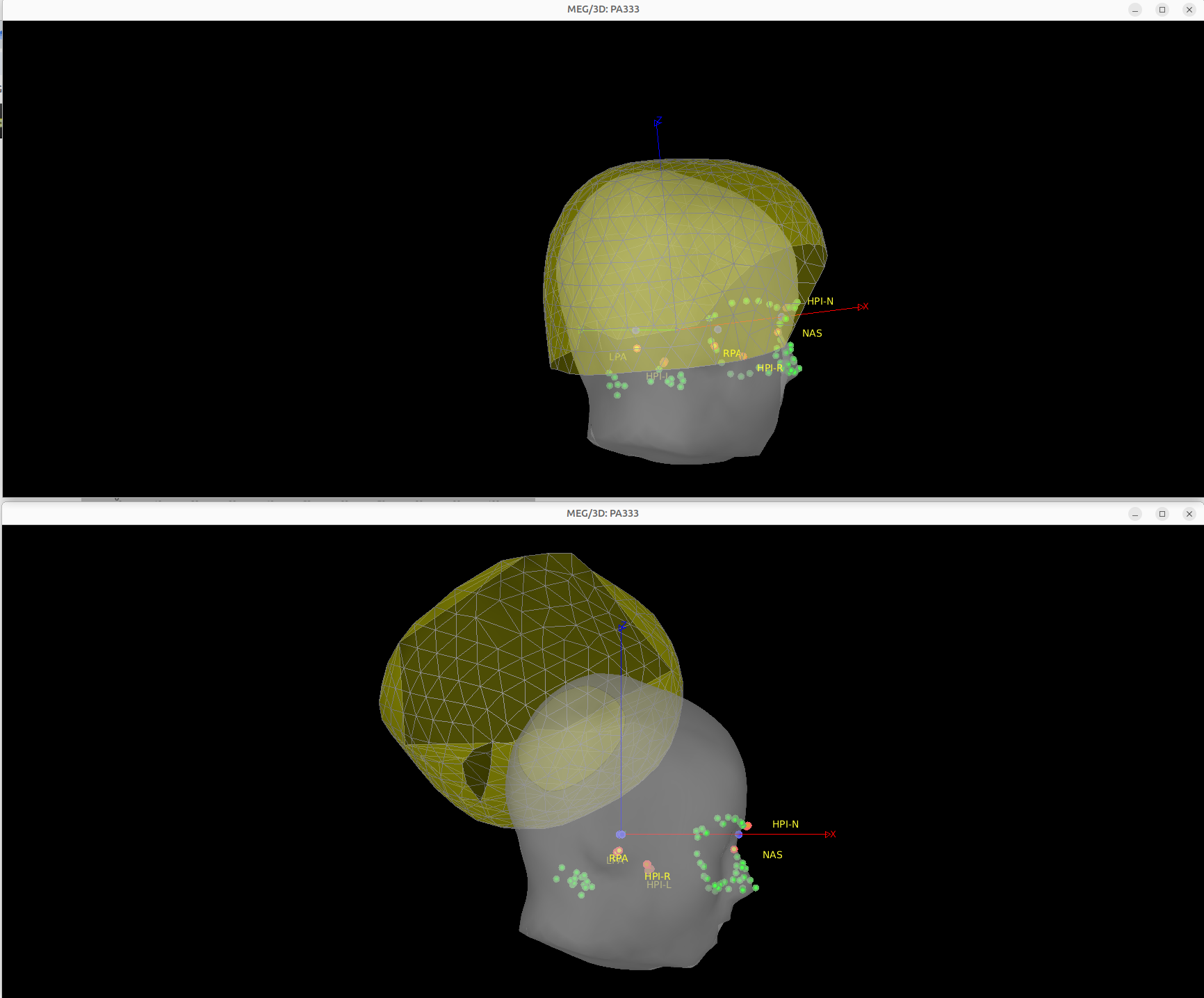
What is strange is that patient did not have much space left inside helmet to move but I see about 180mm of motion during most time points of the recording (see top figure). Secondly, after I apply the adjust the reference head position, the after correction is really off (see bottom figure).
Please let me know if you have any suggestions for fixing this issue.
Thank you
Rasheda
@Marc.Lalancette do you have any suggestions for this head localization in MEG ?
Hello
Check the raw head coil data first. Possibly there was mislocalization of at least one coil, which you would see by having much higher fit error, and greater variations in the coordinates. The fit error and coordinate data appear as separate categories of channels when you right click on the data file. Depending on whether the continuous head localization was not working properly the entire time or not, you could possibly reuse some segments to adjust the position, but it doesn’t look promising from what you shared. You’ll probably have to fully rely on the initial position. You hopefully could still use the good coils to at least identify when there was real movement, although it will not be possible to localize the head with only 2 out of the 3 coils.
Let me know if that’s not the issue, and we can try to see what else might be the problem. We can also look at it together if you want. Just email me.
Finally, note that this CHL issue, which is specific to the CTF software v6.1, can be seen during recording. At the bottom of the screen, it would show much larger fit error and possibly erratic large motion. The head coil channels would also show this motion, if they are displayed during acquisition. When this occurs, it is possible to either reposition the head a little and restart which is likely to fix the problem, or we can also switch to v6.2. Don’t hesitate to reach out to me if/when any issue arises.
2 Likes
Hello Marc,
Thank you for your suggestions. I spent a bit of time yesterday on this. First of all, I went back to check the .hc files to make sure there is no missing or swapped head coils as per the instruction in the tutorial. Good news is that for all my 3 patient dataset there is no swapped or missing head coils. What I finally noticed is that we were applying the head motion correction to a combined raw data file (we combined MEG and SEEG after synchronizing and filtering the data). There, the filtered data (0.5-300Hz or 0.3-70Hz) presents HLU time series as shown above with about 180mm amplitude. In the raw MEG data before filtering, the HLU amplitude is normal about 3mm max for one patient and another one at 30mm max. So, the head motion correction worked well where one patient had only 2.7mm correction, other has 28mm correction (as expected based on our head motion info saved during our acquisition). So, in this case, I am thinking why there is this effect on the HLU time series? I don’t apply the filtering on the HLU sensors.
I also thought, as a second option, I could apply the head motion correction on the MEG unfiltered data, then I do my filtering followed by combining the MEG-SEEG data followed by importing the marking and then applying the split recording. Note that the marking of epileptic events have already been done on the combined data so I am afraid I will mess with the markings otherwise.
If you have any suggestions, please let me know.
Meanwhile, I will try the second option and see what I get.
I will be happy to meet with you to check further if you are available tomorrow.
Best,
Rasheda
I would suspect more the MEG-SEEG “combination” to be the cause of the problem than the filtering. But I’d have to see the details of how you did that, and possibly debug with the file in hand. If you don’t want to redo too many steps, you can also copy the resulting transformations from the raw MEG that worked to the combined one you already have in Brainstorm. The transformation matrices are in the channel file. You can export/import these to Matlab to copy them from one channel file to another.