DUNeuro FEM (leadfield matrix generation) doesn't finish

I think this is the case of

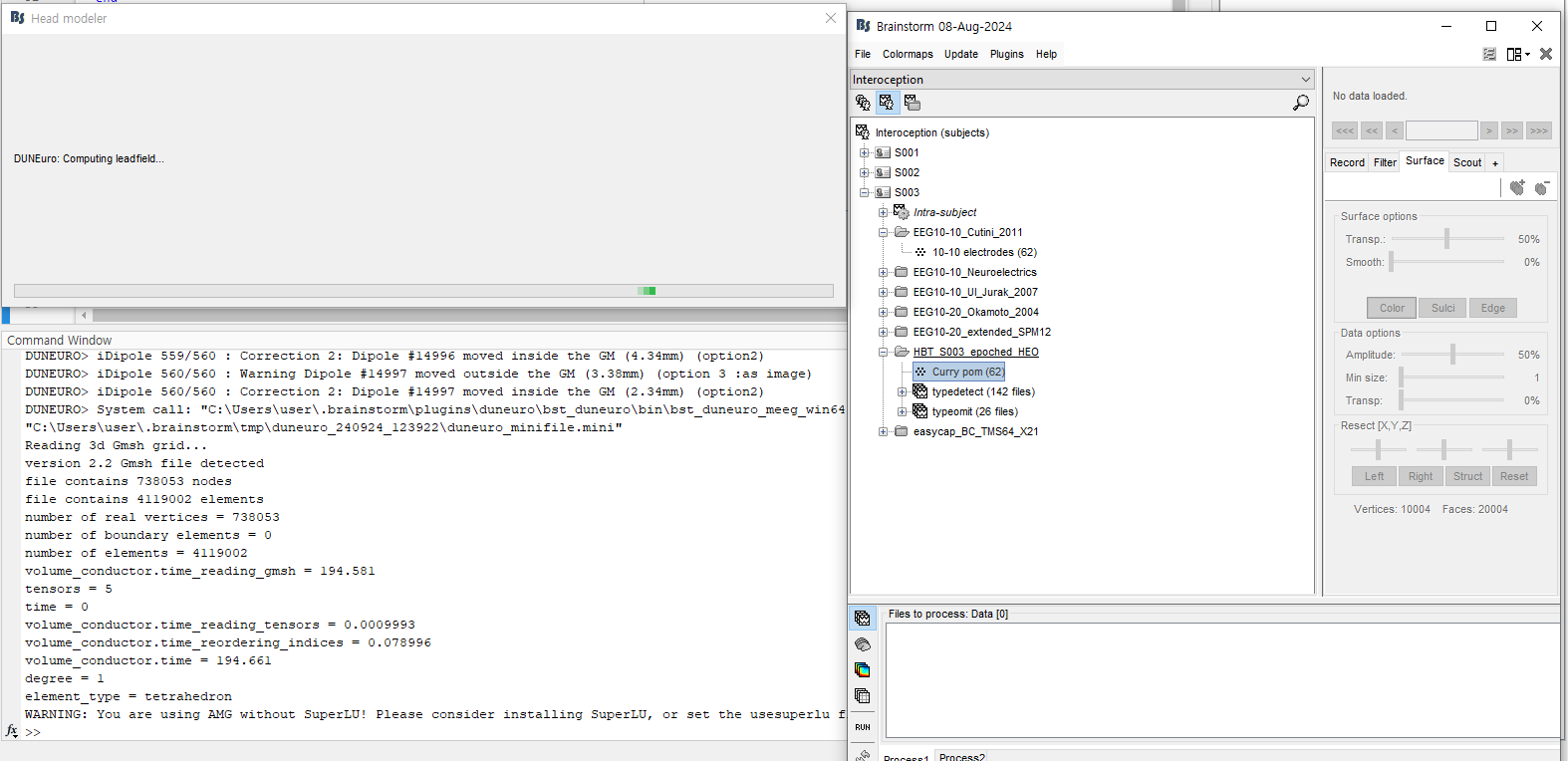
I stucked in DUNEuro leadfield matrix calculation for 62 channel EEG electrodes on the 45007 dipoles.

This is the third participants, and first participant's calculation was done only in 1~2 hrs.

Why this happens and what's going wrong with my data?

I need some advices.

Hi @bong516612

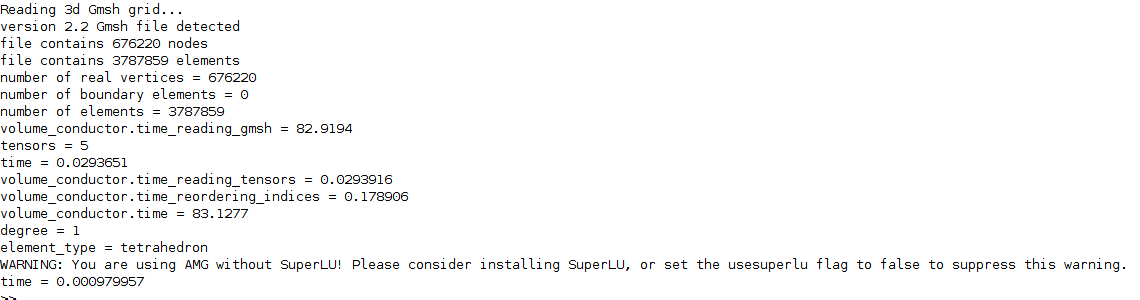
From the terminal, it seems the mesh resolution has more than 700k nodes and 4M nodes. It is expected that the computation will take some time, depending on the performance of your computer.

image

What is the difference with the previous models?
Have you changed any options [conductivities, FEM method, source model...]?

Dear Brainstorm team,

I am trying to generate FEM headmodels with DUNEuro in Brainstorm :

I tested it on 20 subjects, and it works correctly for 17 of them. However, for 3 subjects, the process gets stuck during the "Computing leadfield" step.

What happens is that after the warning about SuperLU, there is no error message, but the computation keeps running for hours without progressing (unlike the other subjects, where the process usually takes only a few hours and finishes successfully).

I don’t think this is related to the computational capacity of my computer, since it works fine for the majority of subjects. The three problematic subjects do not seem different from the others.

  • I used the option "force in grey matter" (and also tried resizing/reducing the cortical surface to make it closer to the mesh).

  • I am using a cortical surface from FreeSurfer and a FEM mesh generated from SimNIBS (because I want to keep the cerebellum).

  • When there was a mismatch between cortex and mesh (vertices "out of grey matter"), I used to get explicit error messages but here I do not get any errors, just an infinite loop with no update in the Matlab command window.

Do you have any suggestions on what I could check for these specific subjects? Are there recommended verification steps to identify why the FEM computation would hang without producing an error?

Any help or advice would be very much appreciated.
Thank you in advance!

Best regards,
Candice
Code :

% Input files

sFiles_hm = filteredList(filter);

% Start a new report

bst_report('Start', sFiles_hm);

% Process: Compute head model
sFiles_hm = bst_process('CallProcess', 'process_headmodel', sFiles_hm, , ...

'Comment', '', ...
'sourcespace', 1, ... % Cortex surface
'meg', 1, ... %
'eeg', 4, ... % DUNEuro FEM
'ecog', 1, ... %
'seeg', 1, ... %
'duneuro', struct(...
'FemCond', [0.14, 0.33, 1.79, 0.008, 0.43], ...
'FemSelect', [1, 1, 1, 1, 1], ...
'UseTensor', 0, ...
'Isotropic', 1, ...
'SrcShrink', 0, ...
'SrcForceInGM', 1, ...
'FemType', 'fitted', ...
'SolverType', 'cg', ...
'GeometryAdapted', 0, ...
'Tolerance', 1e-08, ...
'ElecType', 'normal', ...
'MegIntorderadd', 0, ...
'MegType', 'physical', ...
'SolvSolverType', 'cg', ...
'SolvPrecond', 'amg', ...
'SolvSmootherType', 'ssor', ...
'SolvIntorderadd', 0, ...
'DgSmootherType', 'ssor', ...
'DgScheme', 'sipg', ...
'DgPenalty', 20, ...
'DgEdgeNormType', 'houston', ...
'DgWeights', 1, ...
'DgReduction', 1, ...
'SolPostProcess', 1, ...
'SolSubstractMean', 0, ...
'SolSolverReduction', 1e-10, ...
'SrcModel', 'venant', ...
'SrcIntorderadd', 0, ...
'SrcIntorderadd_lb', 2, ...
'SrcNbMoments', 3, ...
'SrcRefLen', 20, ...
'SrcWeightExp', 1, ...
'SrcRelaxFactor', 6, ...
'SrcMixedMoments', 1, ...
'SrcRestrict', 1, ...
'SrcInit', 'closest_vertex', ...
'BstSaveTransfer', 0, ...
'BstEegTransferFile', 'eeg_transfer.dat', ...
'BstMegTransferFile', 'meg_transfer.dat', ...
'BstEegLfFile', 'eeg_lf.dat', ...
'BstMegLfFile', 'meg_lf.dat', ...
'UseIntegrationPoint', 1, ...
'EnableCacheMemory', 0, ...
'MegPerBlockOfSensor', 0), ...
'channelfile', '');

% Save and display report
ReportFile = bst_report('Save', sFiles_hm);
bst_report('Open', ReportFile);
% bst_report('Export', ReportFile, ExportDir);
% bst_report('Email', ReportFile, username, to, subject, isFullReport);

Hi @CandiceAppr
Could you clarify whether you are running EEG, MEG, or both modalities? Are there any major differences in how the subjects are set up?

Do the sensor configurations differ (e.g., number of sensors, mesh resolution)?

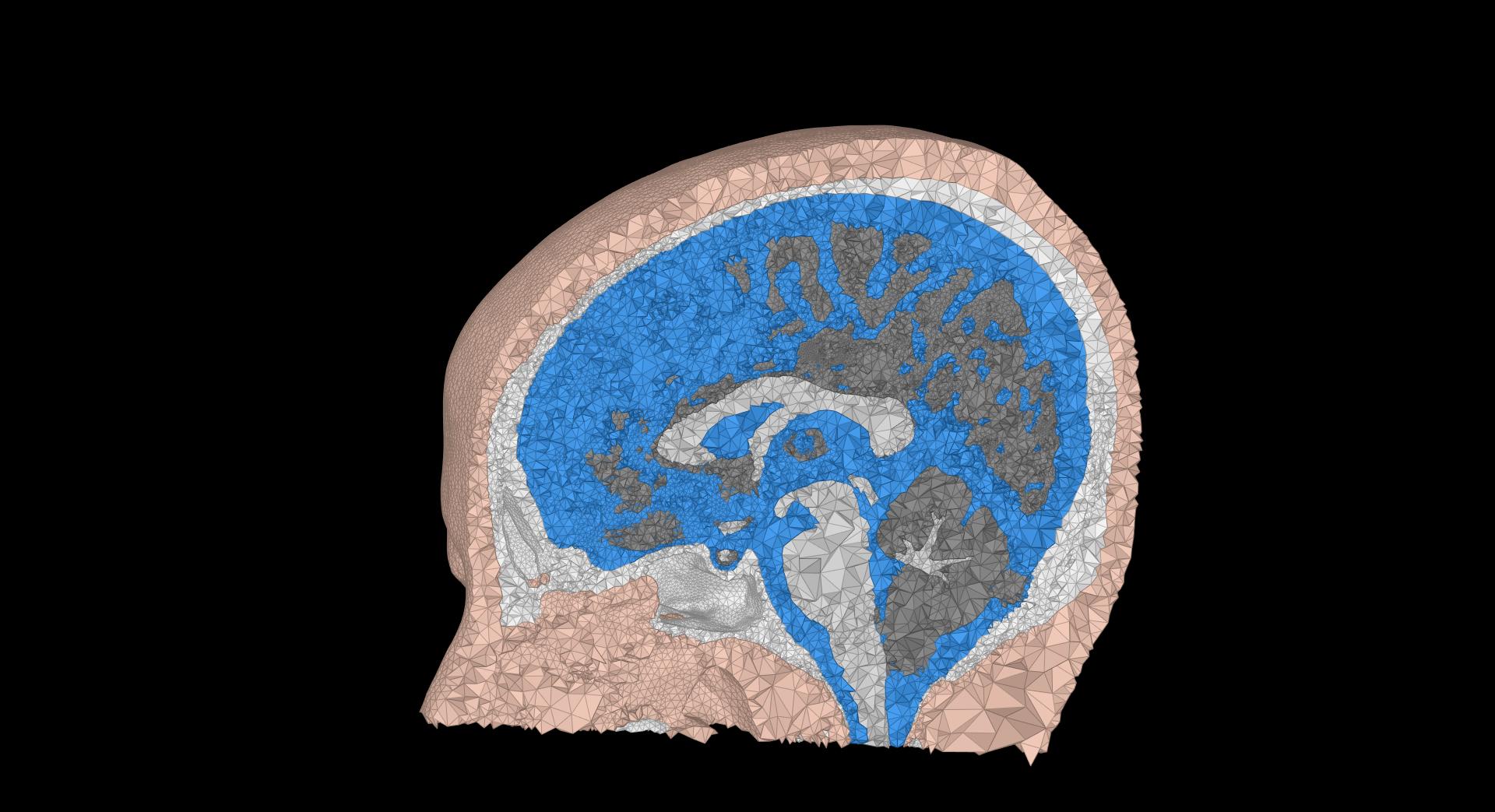
have you checked if the FEM mesh has all the tissues correct without any holes or isolated elements?

If possible, could you share one subject information where the pipeline works and one where it doesn’t, including both the mesh view and sensor information?
[ just a view of the mesh, and also a screenshot of the file content, => right click on the node [ mesh and sensors] and then file> view file content]

THanks

Best regards,

Hi @tmedani ,

Thank you for your reply!

There are no major differences at the sensor level, the configurations are the same across subjects, and I kept all the sensors.

Regarding the FEM mesh, it’s not easy to detect very fine issues (like tiny holes or isolated elements), but after checking, I didn’t find any anomalies (but I might have missed them, can we only check this visually ?) and the meshes look comparable to the others.

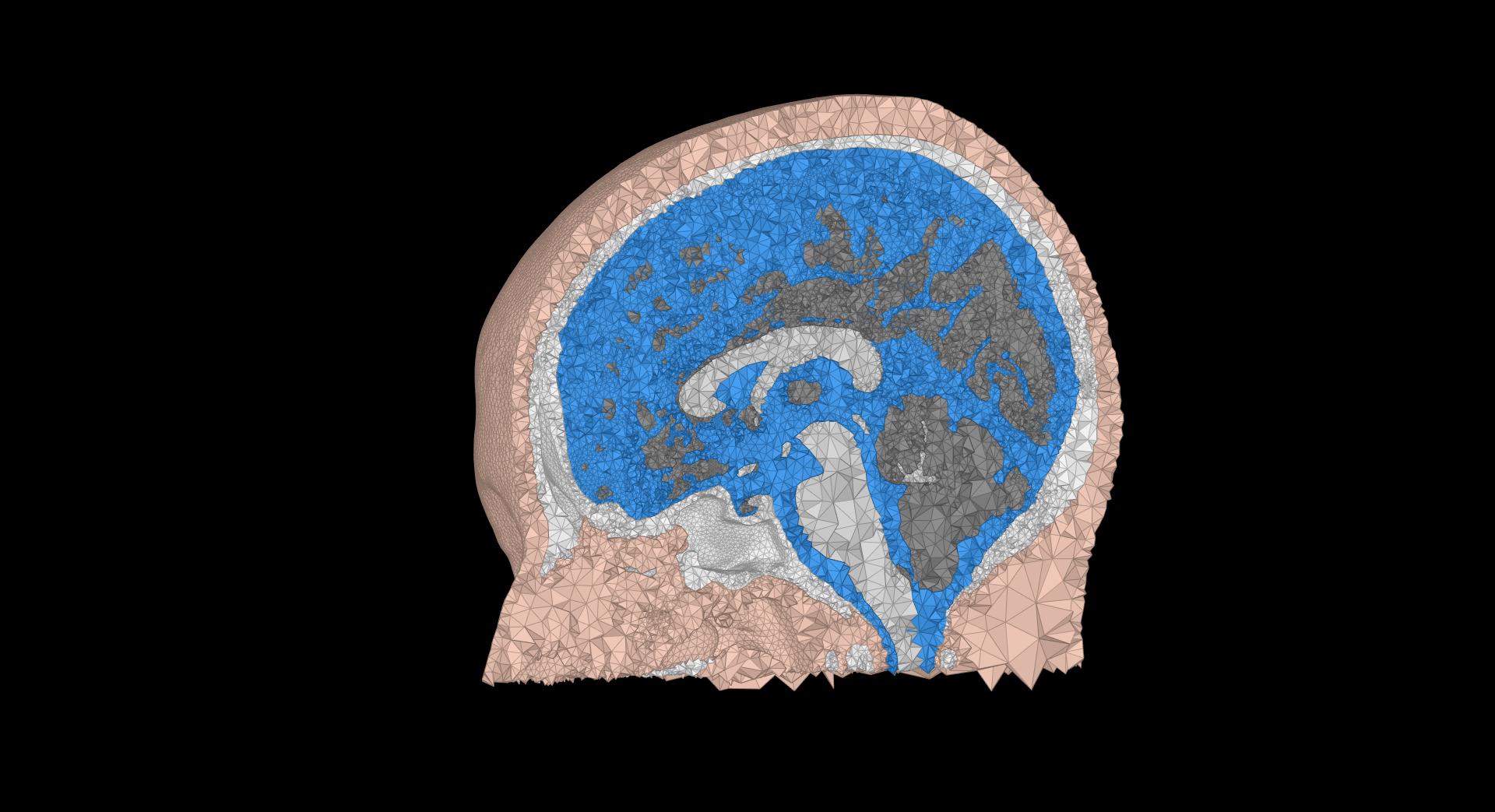
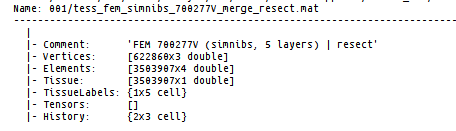
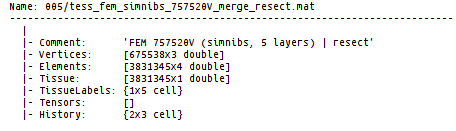
I’m attaching the requested screenshots of both the mesh view and the file content for one subject where the pipeline works (001) and one where it doesn’t (005).

Best regards,
Candice

Hi @CandiceAppr

Thanks for sharing this information.

Indeed, it is hard to see what the issue is.

Are you computing the forward mode for the EEG or MEG?
If it is MEG, is there a difference in the sensor configurations [magnetometers or gradiometers? ]

Can you also try this solution: regenerate the head mesh using the steps explained here==> https://neuroimage.usc.edu/brainstorm/Tutorials/FemMedianNerve#Remesh_with_Iso2mesh

Hello @tmedani

Thank you very much for your reply.

I am trying to build a forward model for EEG source reconstruction. I followed the tutorial you suggested and tried to re-generate the meshes using iso2mesh . However, I keep getting the following error (see below):

** Warning: Point #707112 is coincident with #760897. Ignored!
[...]
** Warning: Point #791555 is coincident with #607810. Ignored!
** Warning: Point #739861 is coincident with #607810. Ignored!
** Delaunay seconds: 7.36346
** Creating surface mesh ...
** Found two overlapping facets.
** 1st: [227177, 227183, 155386] #1
** 2nd: [227177, 227183, 155386] #2
** A self-intersection was detected. Program stopped.
** Hint: use -d option to detect all self-intersections.
**
**
**
** Call stack:
** >surf2mesh.m at 117
** >process_fem_mesh.m>Compute at 434
** >process_fem_mesh.m>ComputeInteractive at 1531
** >process_fem_mesh.m at 31
** >bst_call.m at 28
** >tree_callbacks.m>@(h,ev)bst_call(@process_fem_mesh,'ComputeInteractive',iSubject,,GetAllFilenames(bstNodes)) at 1275
**

I also saw in this thread : Error while using ISO2MESH - "A self-intersection was detected. Program stopped"

that this could be related to the resect neck option. I therefore tried without resect neck and also repaired the surfaces with meshcheckrepair (using both selfint and dup options) before and after merging the surfaces. Unfortunately, I still get the same error.

Could this be related to the mesh size ? Should I try to smooth or simplify the surfaces?

This only happens for 3 subjects out of 20 . For the other 17 subjects, the forward model computes successfully. Since my goal is to perform LCMV source reconstruction , I would prefer to keep the meshes as comparable as possible across all participants.

Do you have any suggestions for further checks that I could try on these problematic subjects?

Many thanks in advance for your help,
Best regards,
Candice

Hi @CandiceAppr

Indeed, after mesh resection, the remeshing process with Iso2mesh will not work, as all the tissues will have the same bottom surface; therefore, this will generate an intersection that is currently not handled in most or all mesh tools.

Since the problem is consistent, and this is only in a few subjects, you could try using a template for these 3 subjects, for example, the ICBM or the USC brain MRI instead of their original MRI.
This will not really change a lot in the final results.

Hello @tmedani,

Thank you for your reply.

I re-ran my SimNIBS segmentation with the same steps I described earlier for the subjects that were not working, and this time it worked. It seems that it was just a segmentation issue!

However, I just noticed that in my headmodels, the leadfield (Gain), the first row corresponding to electrode Fp1 is equal to 0 for all my subjects. Do you know why this might happen, and how I could avoid it? Could it be related to the fact that, in my downloaded EEG data, the reference and ground electrodes are removed?

Thank you very much in advance for your help!

Best regards,
Candice

Hi @CandiceAppr

Thank you for your feedback.

Did you just recompute the mesh, or have you made any other steps before calling the simnibs process? That way, we can recommend your solution for other users later.

In most cases, when EEG data is imported, the reference channel is not included. The basic approach, adapted by Duneuro and then Brainstorm, is to assume that the first channel serves as the reference for the forward LF computation, and then the average reference is applied during the inverse solution. It is not the best approach, but it is the most stable one for most cases.

Hello @tmedani

I just recomputed the mesh exactly the same way. The new mesh had a slightly different number of Vertices so I knew it was not exactly the same and it worked with this one.

Thank you for your reply !

1 Like

Thank you for the feedback.