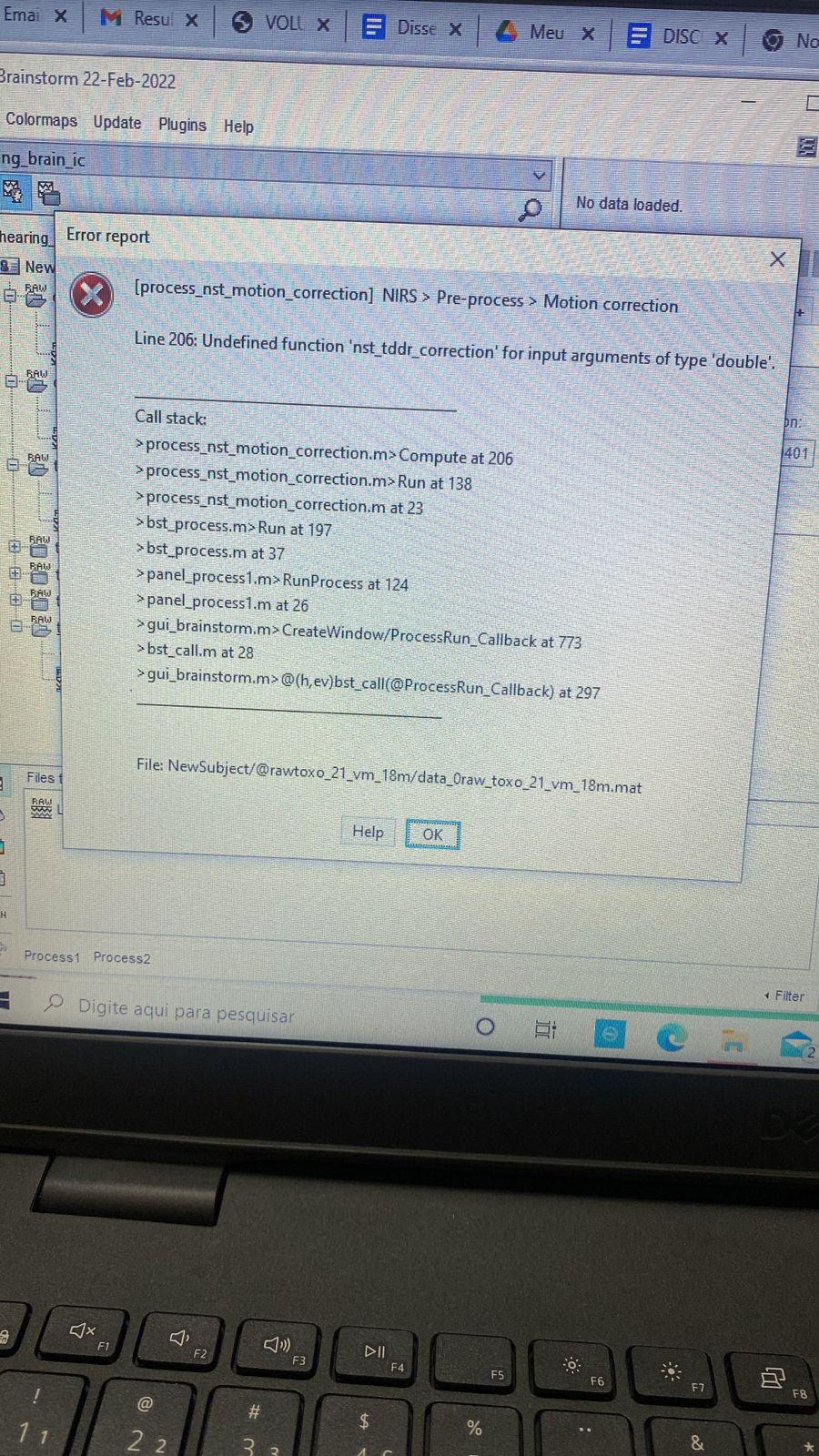
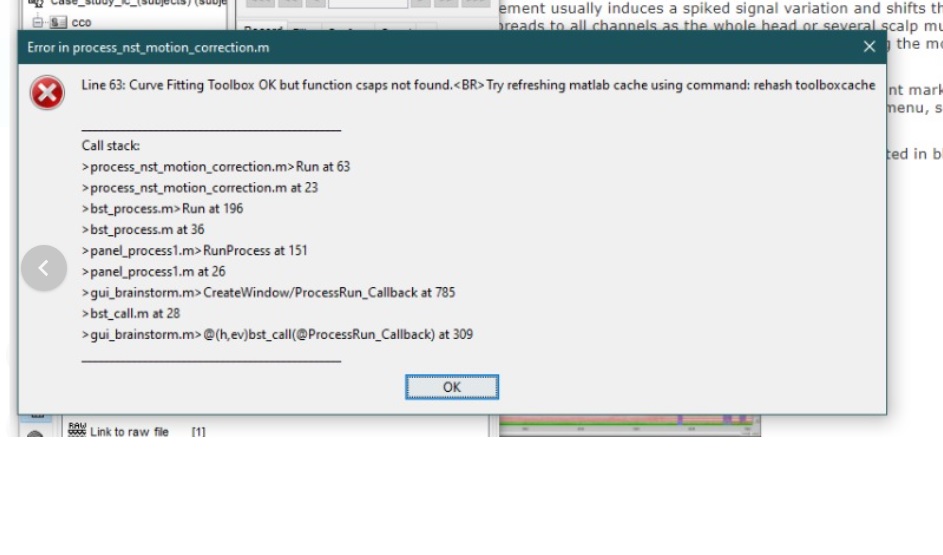
Error [Line 63] during the Nirstorm motion correction

Hi @Francois and @edelaire

Me and my research group have a question: when we make the path "include link to raw file - files for process - execution - pipeline editor - announcement process - NIRS - pre-process - motion correction - execution", this error occurs

Could you help us with that?

Thanks a lot!

Hello,

The current motion correction algorithm uses the Curve fitting toolbox to construct the Cubic smoothing spline (Cubic smoothing spline - MATLAB csaps).

Please make sure that you have this toolbox installed and that the function works well.
You can find more information about the curve fitting toolbox here: https://www.mathworks.com/help/curvefit/index.html?s_tid=CRUX_lftnav

@edelaire
This is an uncommon toolbox, it is not a good solution to rely on it.
We organized Brainstorm so that everything works with a basic Matlab install, with the possibility to use the signal processing or parallel processing toolboxes when they are available.

There is a free equivalent of csaps available for free in Octave:
https://octave.sourceforge.io/splines/function/csaps.html

I'd recommend you adapt this function to Matlab/Brainstorm, like all the oc_*.m functions available in Brainstorm (oc stands for Octave).

1 Like

PS: Same goes for all the other functions you might use from other exotic toolboxes.

Thanks for the reference. I am currently looking at the motion artifact algorithm for nirs, so i might change the spline function.

@lurdianagdias I added the possibility to call another motion correction technique developed by Fishburn et al called Temporal Derivative Distribution Repair (TDDR). I am still doing some test so it's not documented yet but you can find more information in their article: https://doi.org/10.1016/j.neuroimage.2018.09.025 or on GitHub : https://github.com/frankfishburn/TDDR

To test it, you only need to update nirstorm by using the update menu and then update nistorm > update :slight_smile:

Hi!
First of all i'd like to thank you both for answering my topic.
I'm glad to say that my issue was solved by installing the "Curve fitting toolbox" directly from Matlab. Now I can use the motion correction algorithm perfectly.
I'll also be attentive to the other alternatives that you have shown me.

Thank you again!

Hi @Francois!

I had the same error as Lurdiana, I downloaded the Toolbox and now this error appears.

Could you help me, please.

This is a different error from the one you refer to: different source, different cause.

It looks like the function nst_tddr_correction.m is missing from your Nirstorm installation or from your system path.

  • Check that the file is correctly downloaded in C:\Users\_username_\.brainstorm\plugins\nirstorm\nirstorm-master\bst_plugin\math\nst_tddr_correction.m
    If is not: there is a problem with your Nirstorm installation: uninstall and install again the Nirstorm plugin
  • Check that when loading Nirstorm, you can see the following line in the Matlab command window:
    BST> Adding plugin nirstorm to path: C:\Users\franc\.brainstorm\plugins\nirstorm\nirstorm-master\bst_plugin\math

@edelaire Any other debugging suggestion?

Hi @Francois

After following your instructions I got it, but another error appeared.


Could you help me, please.

These are not errors, they are warnings, that should not prevent you from moving forward in your analysis.

@edelaire @edelaire
Are these warnings concerning?

hello,

When doing motion correction, the algorithm might introduce a negative value which might create issue later when taking the log of the data. As a results, we remove the negative value created by adding an offset to the channel containing the negative value after the motion correction.

If the channel was containing only noise before the motion correction, then this offset can turn a bad channel into a 'good one' . The warning is here to tall you to verify that specific channel to make sure its containing data and not only noise; if you want to be safe you can just reject this channel.

Regards,
Edouard

Thanks @Francois @edelaire!

Hi @Francois

I would like to thank you for your contributions.
I'm new to the NIRS research team, I'm learning a lot.

I advanced in the analysis, and I noticed that other people in my group used the functions of remote to negative channels and also remote pared channels in the pre process, these functions do not appear in my pre process.
Captura de tela duvida

In addition, when performing the band pass filter, the following error appears.

I would like to know more about the GLM function, how we can study better to opt for this analysis.

Could you help me with these questions please.

Thanks!

Can you please document exactly what is missing?
Check exactly what menus they are using, and post screen captures showing the menus on their computers, and the same menus with missing entries on your computer.

In addition, when performing the band pass filter, the following error appears.

The function butter is part of the signal processing toolbox, which you don't have.
The Nirstorm authors could use the alternative oc_butter.m when this toolbox is not available, as in process_bandstop.m: brainstorm3/toolbox/process/functions/process_bandstop.m at master · brainstorm-tools/brainstorm3 · GitHub

@edelaire Could you please check this?

In the meantime, you could try two things:

In the future, please create a new thread for each new problem, it makes it easier to manage them.

I am also not sure what you mean by missing.

Thx Francois. Does this PR Filter - Remove dependency to signal processing toolbox by Edouard2laire · Pull Request #192 · Nirstorm/nirstorm · GitHub work for you?

For all the GLM question, please open a new topic with specific questions and i'll find time to awnser them :slight_smile:

@dayannadiniz Complained about missing menus in Brainstorm.
I requested more information in order to explain what is done wrong and/or fix possible errors.
Does this PR Filter - Remove dependency to signal processing toolbox by Edouard2laire · Pull Request #192 · Nirstorm/nirstorm · GitHub work for you?

It looks good, thanks!
@dayannadiniz Please update the Nirstorm plugin from the Brainstorm plugins menu and try again.

1 Like