Good day!
I was trying to display the spectrum of computed psd files, but I got this error:
** Error: Line 4325: Undefined function 'minus' for input arguments of type 'cell'.
**
** Call stack:
** >figure_timeseries.m>ScaleToFitY at 4325
** >figure_timeseries.m at 39
** >figure_spectrum.m>UpdateFigurePlot at 1235
** >figure_spectrum.m at 26
** >view_spectrum.m at 167
** >tree_callbacks.m at 438
** >bst_call.m at 28
** >panel_protocols.m>CreatePanel/protocolTreeClicked_Callback at 123
** >bst_call.m at 28
** >panel_protocols.m>@(h,ev)bst_call(@protocolTreeClicked_Callback,h,ev) at 73
**
Then I tried to open a file with relative psd computed and I got this:
** Error: Line 4325: Undefined function 'minus' for input arguments of type 'cell'.
**
** Call stack:
** >figure_timeseries.m>ScaleToFitY at 4325
** >figure_timeseries.m at 39
** >figure_spectrum.m>UpdateFigurePlot at 1235
** >figure_spectrum.m at 26
** >view_spectrum.m at 167
** >tree_callbacks.m at 438
** >bst_call.m at 28
** >panel_protocols.m>CreatePanel/protocolTreeClicked_Callback at 123
** >bst_call.m at 28
** >panel_protocols.m>@(h,ev)bst_call(@protocolTreeClicked_Callback,h,ev) at 73
**
I get those errors whenever I double click on psd computed files,
psd files were computed with the last update on power spectrum scaling, 4 broad bands: (Delta, Theta, Alpha, Beta)
Actually It does not, I don't know why
Maybe
the problem is that I computed 4 frequency bands...
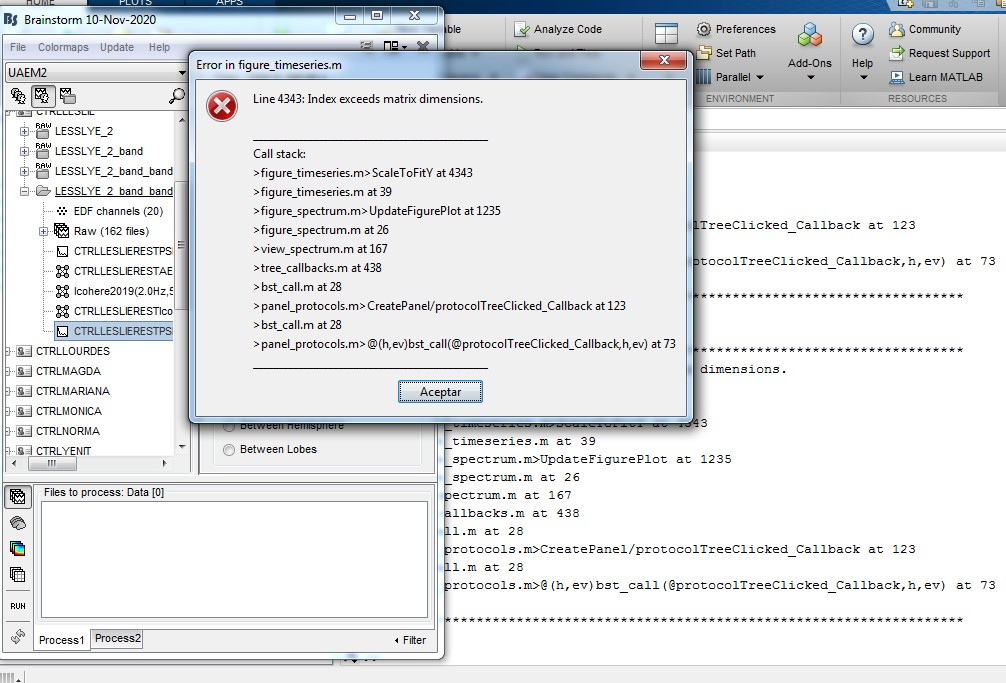
** Error: Line 4350: Index exceeds matrix dimensions.
**
** Call stack:
** >figure_timeseries.m>ScaleToFitY at 4350
** >figure_timeseries.m at 39
** >figure_spectrum.m>UpdateFigurePlot at 1235
** >figure_spectrum.m at 26
** >view_spectrum.m at 167
** >tree_callbacks.m at 438
** >bst_call.m at 28
** >panel_protocols.m>CreatePanel/protocolTreeClicked_Callback at 123
** >bst_call.m at 28
** >panel_protocols.m>@(h,ev)bst_call(@protocolTreeClicked_Callback,h,ev) at 73
**
Thank you!!
Well, now it seems to work but I'm not sure:
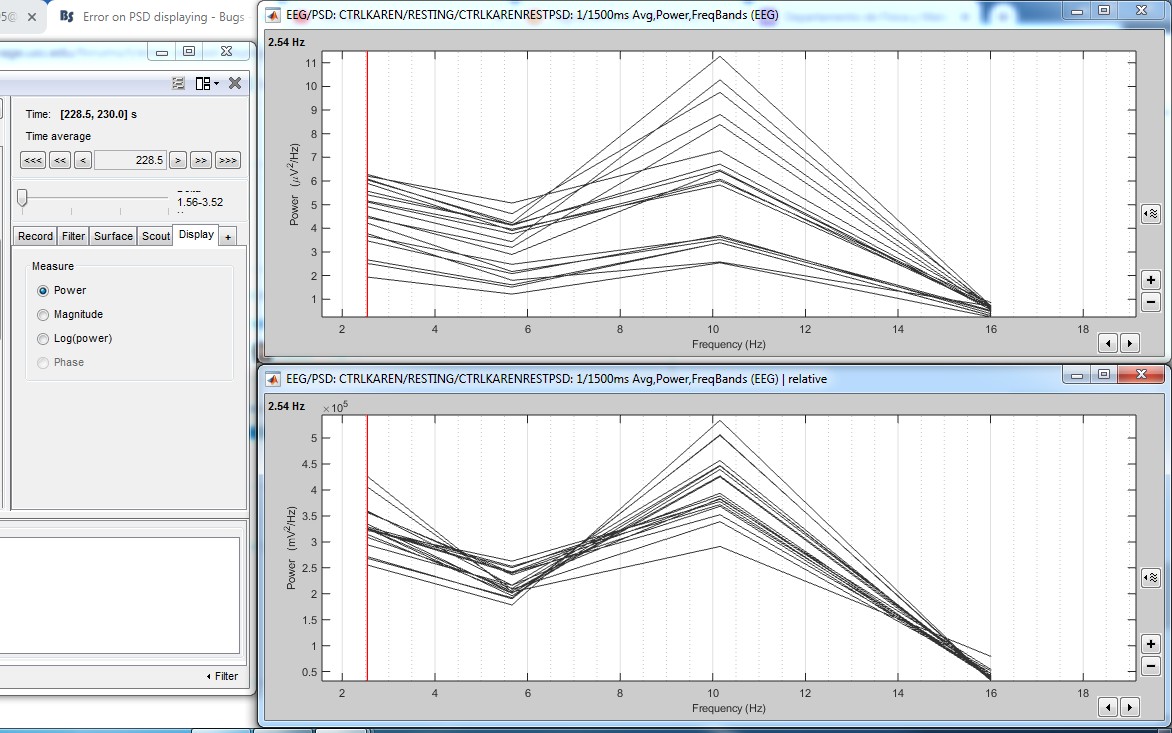
When I computed file I set the first band (Delta) frequency to 1.56 - 3.52, however in this displaying it starts with 2.54 Hz
The max frequency (Beta) is 12.89 - 19.14 Hz, but I can only see 16 Hz at max here.
I guess this is not a bug but it's caused by averaging frequencies into broad band right?
Just one more thing:
when I display the relative power, it shows the same units than PSD power, but I think relative power should use percentage as units, right?
Hi,
There is one data point per band and it is displayed at the center frequency of the band.
Regarding units, you're probably right. I tried getting the units, but it's not always easy to determine since they're not currently saved in the psd file. I can look into it but I'm not sure how to get relative power. I was mainly concerned with power spectrum when I made the updates.
Cheers,
Marc
Thank you!
usually relative power unitis are percentage (%), so I think you can simply multiply X 10 the values and add the % sign, but I guess It's not that easy

 )
)