GUI scout-related functions stopped working

Hi,

I have created a function that, starting from Volumes of Activation of some fMRI data (in this case they are fMRI data downloaded from NeuroSynth of specific tasks, like naming in this case), project them on subject’s SCS and find the closest central cortex vertices, derived from CAT12, through a simple KNNsearch. After that, it creates an Atlas template and populate it with the various scouts detected:

projVertices = find(maskOnCortex);
scoutTemplate = db_template('Scout');
scoutTemplate.Vertices = projVertices;
scoutTemplate = panel_scout('SetScoutsSeed', scoutTemplate, cortexVerts);
scoutTemplate.Label = atlas.Labels{b,2};
scoutTemplate.Color = scoutColor;
atlasTemplate.Scouts(end+1) = scoutTemplate;”

and then it proceed to save the updated surface struct:

surfStruct.Atlas(end+1) = atlasTemplate;
bst_save(surfFile, surfStruct, 'v7');”

It seems to work just fine, I am able to see the scouts in Brainstorm GUI. Problem is that if I want to use, now, some GUI function, like duplicate an Atlas of the cortex on which I manually craeted these new scouts (central_15002V in this case), it pops up an error:
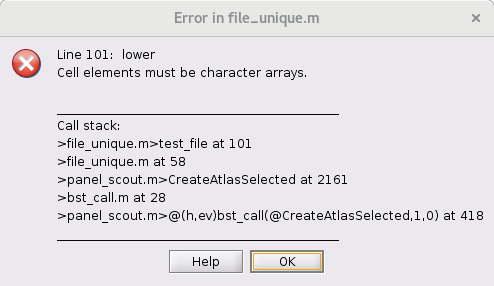
I tried opening a different surface, central_164089V, on which I did not create scouts and atlases from Matlab code, and the GUI functions atlas and scouts related work just fine.

I attach here the structs of central_15002V and central_164089V for reference:

Have I made some mistakes in creating atlas and scouts from code? I followed parts of codes found in panel_scouts if I remember correctly.

Thanks in advance for help!

Zanchi
The trouble seems to the Atlas name, it is not being set
When creating atlasTemplate, set atlasTemplate.Name

I beg your pardon, I did not share the entire code.

The atlasTemplase name was set when I first created the template:

atlasTemplate = db_template('Atlas');
atlasTemplate.Name = sprintf("%s_projected", atlasName);

atlasName is one of the input variables of the function.

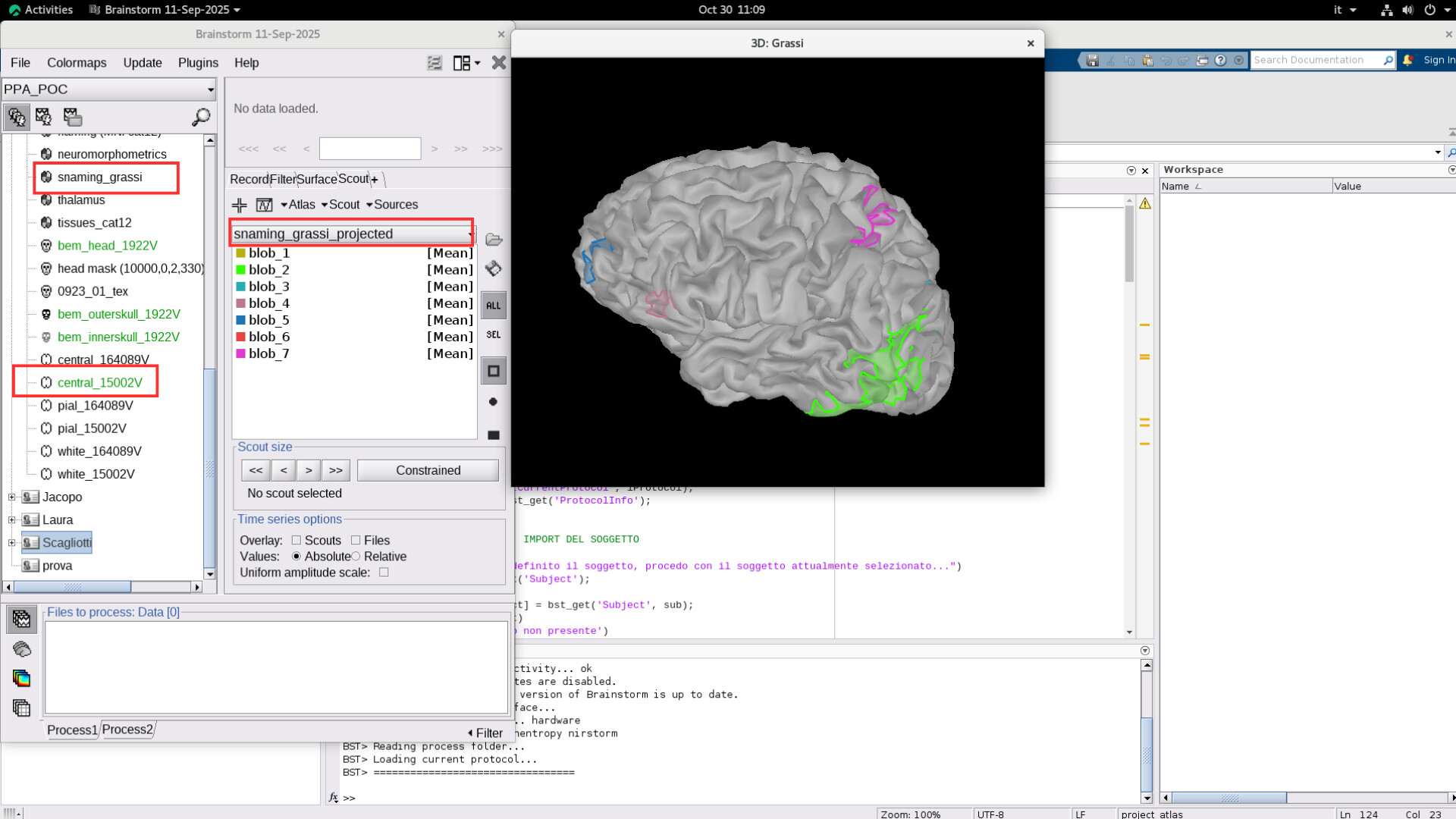
When I visualize the scouts inside Brainstorm interface, the atlas actually has the name I set within the function:

In this case, I tried extracting the scout from snaming_grassi, resulting in snaming_grassi_projected as intended.

However, if now I try: Atlas –> New Atlas –> Copy current atlas, it returns the aforementioned error.

The problem does not subsist if I try the same thing on central_164089V

There seems there is something wrong in the names for the atlases, if not in the new one, maybe in a atlas created in a previous attempt.

Load the surface in Matlab, then check the value and class for all the atlas names.
This will point you towards the problem.

% With sSurf being the loaded surface

% Print value and class for each atlas name
for iAtlas = 1 : length(sSurf.Atlas)
    disp(sSurf.Atlas(iAtlas).Name)
    class(sSurf.Atlas(iAtlas).Name)
end

% This replicates the issue
x= lower({sSurf.Atlas.Name});

Got it, the problem was indeed that the name of freshly created atlases were of class string and not char. I fixed it and now the Brainstorm GUI functions works perfectly. Thanks a lot!

Glad to hear this is solved!