Hello, everybody!
I can read an .e file size of 22.8MB perfectly, however, when trying to get the object from a .e file size of 12.7MB, it failed and showed “out of memory”. I don’t know why. My computer’s memory is 8GB.
Upload it on any web service (eg. dropbox, google drive, one drive, wetransfer, etc), share the file, and post the link here (or click on my name on this forum to send me the link in a private message)
Thanks.
This file opens very fast and without needing any extra memory on my computer. There is no problem with the file itself, the Nicolet reader or the Brainstorm wrapper around the Nicolet library.
Are you using an old Windows 32bit computer? If so, get a new computer.
Otherwise, close all the unnecessary applications, check your resource monitor, etc.
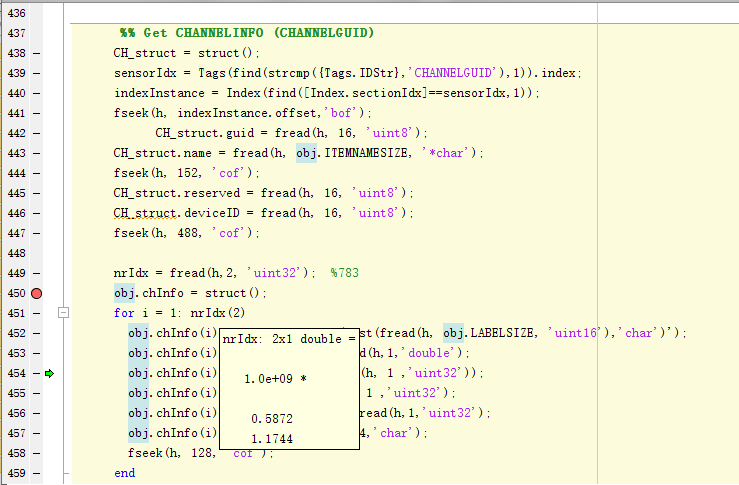
I have tried on another computer, but failed. And the error message is the same. When debugging the program named NicoletFile, I find the program from line 451 to line 459 loops 1.2 billion times. So it may be the reason why it can be out of memory with saving billions of dimensions of data. I'm sorry to bother you so many times, but how can it be solved?
I don't understand. The file you sent me loops 35 times on the lines 451-459 on my computer.
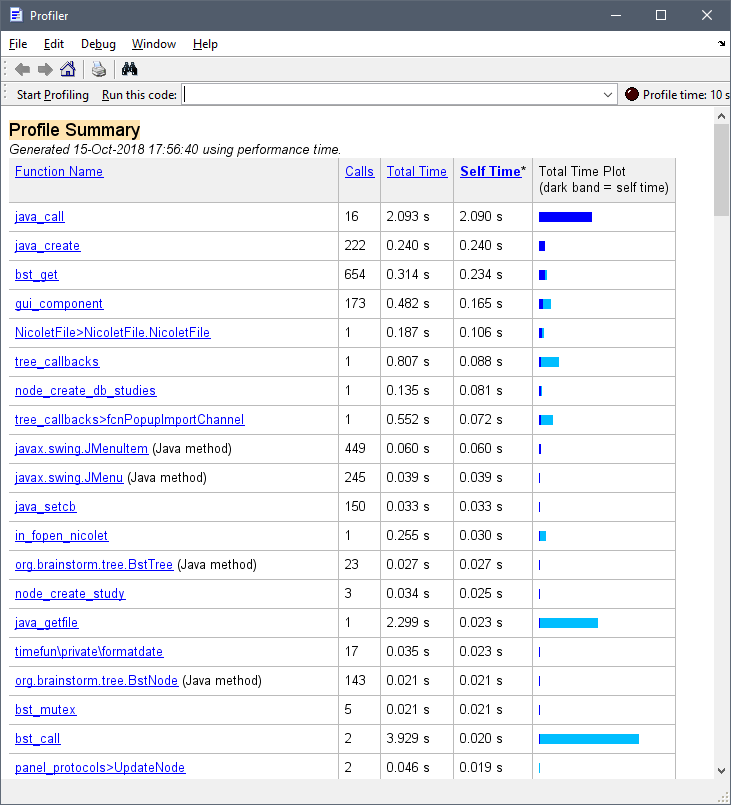
Here is the Matlab profile report (the timing includes the manual file selection)
Maybe there is something that goes wrong because you are using a different character set in the file name, file folder, or operating system?... Or it is simply not the same file.