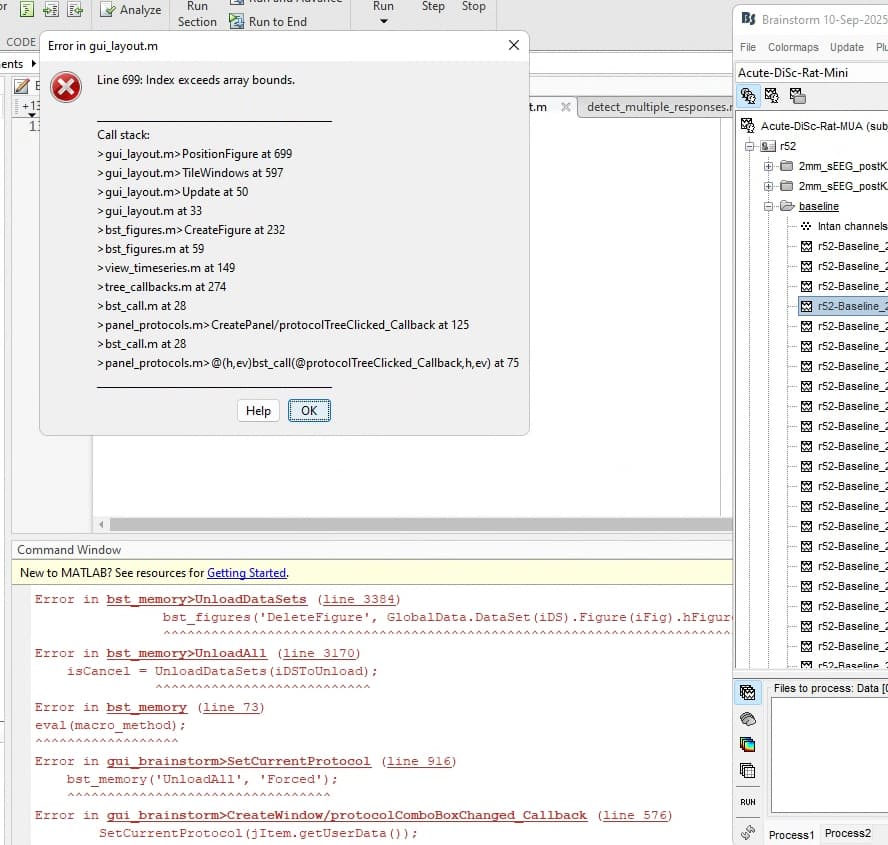
After updating my copy of Brainstorm, I can’t open any of my protocols. The GUI has trouble switching between protocols and any time I try to open anything I get this error:
I recall that the update said not to roll back the update if protocols no longer work after updating so what is the best way to proceed?
Hi @mrsh0res, can you provide more information?
In the shared image, the error that is printed in the Matlab command window is different from the one shown in the error window.
- Can you start Brainstorm?
- Can you reload the current Protocol?
- Can you change of Protocol?
If everything upto here is ok, try reloading the Protocol, and the try again to double-click on the data to plot it
Hello,
To your questions:
- I can start Brainstorm
- I can reload the current protocol
- I can switch between protocols
After doing these things, the problem persisted. Any attempt to open a data file still gave the error in line 699.
Actually, I think I just figured it out. The error in the MATLAB log was that it kept trying to open a protocol in a directory that did not exist and the directory wouldn’t update even when the phantom protocol was unlinked from the database or otherwise deleted. Restarting Brainstorm after removing the directory didn’t work either.
However, Restarting Brainstorm > Going to the phantom protocol > Detaching the protocol’s entry in the directory > Going to an arbitrary existing protocol > reloading that existing protocol to update the directory > quitting Brainstorm to save the change > Opening Brainstorm again - seems to allow me to open the other protocols again. But the GUI error in the MATLAB command window occurs whenever I try to load a new protocol from a folder. I think the failure to do this load operation successfully causes the issue of not being able to open any other files - even in older existing protocols - as a result of the inconsistent directory of protocols.
Tl;dr if I try to load in a protocol from a folder, I get a Matlab error about the GUI failing to set the current protocol and the protocol does not load. If I close brainstorm after receiving that error, I become unable to open files in any other existing protocol and the protocol that failed to load is still considered in the directory. The only way to be able to open the existing protocols again after reaching this point is the workaround described above. I still cannot load in a new protocol from folder.
Try reloading all the protocols in the DB folder.
-
Create an empty folder in your computer
-
Start Brainstorm
-
Check what is the current database folder, run bst_get('BrainstormDbDir')
-
Go to File > Load protocol > Change database folder, and select that empty folder
It will ask you to unload all other protocols, say Yes.
This will not delete any data in your Protocols
-
Go to File > Load protocol > Change database folder, and select your Brainstorm database folder (Step 2)
This will load all the protocols in the database folder
Hello,
If I switch the database to an empty folder as described, it returns an empty database. If I switch back, the original database is there. However, if I close Brainstorm after switching back and then reopen it, the database is empty again (like when the empty folder was the database folder.) I don’t think the switch back is getting saved.
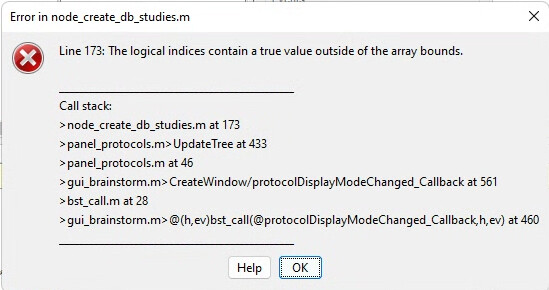
Doing this put the original database back once everything loaded again. When trying to import a protocol to the database, the anatomy data at least loaded this time. As for the functional data, now instead of freezing or infinitely loading, I get this error in brainstorm although it still fails to load
Closing and reopening brainstorm after getting this error circles us back to the original problem of the folder still trying to load on launch although it was detached before closing.
Based on this error, I think there might be an extra subject entry in the protocol.mat file so I will open the file and check.
ProtocolSubjects in protocol.mat was the wrong size - there was an extra entry. Fixing that returned me to the original error 699 of index exceeding array bounds. Doing the fix for that error outlined above seems to be working?
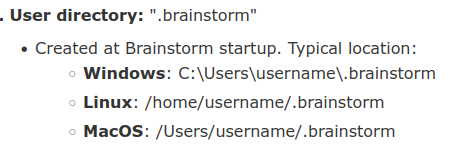
There seems to be some overall disconnect in how often the database registry is being updated. It doesn’t seem to get the most up to date version on closing brainstorm. Thank you for the user directory suggestion to get it to at least provide an error.
Are all your Protocols giving you troubles?
Other thing to try is to delete the file protocol.mat from the Protocol that is giving you troubles.
That file is regenerated by Brainstorm on parsing the files in the Protocol