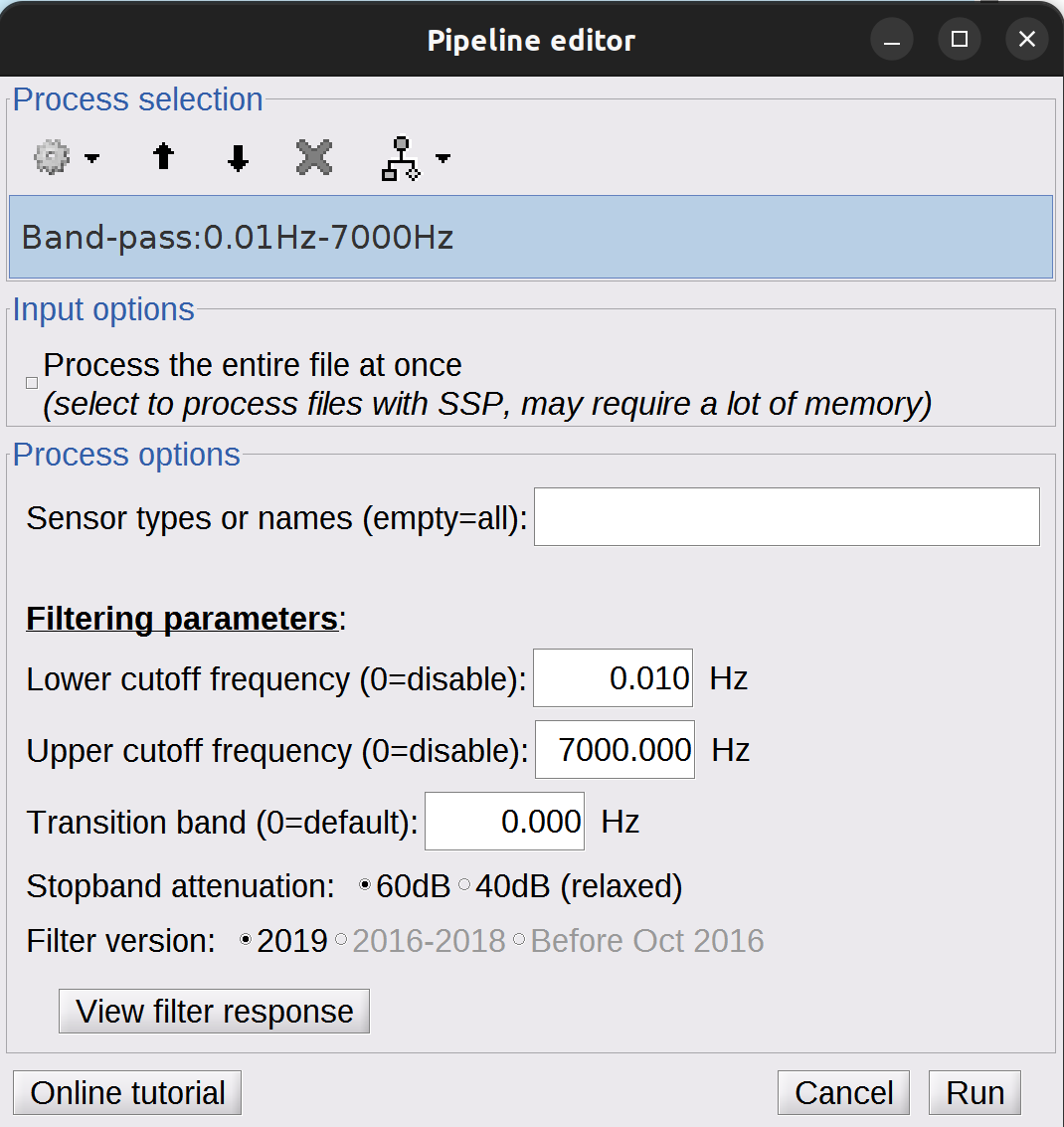
I keep getting crashes after about 15 min of processing of a simple BandPass filter (0.01-7000Hz). The files that I have are quite large, 40kS/s, and 150 channels, and ±5000 sec in length. I find that it doesn’t happen when I process shorter files in time-length.
It happens with and without the option to “Process the entire file at once”. I suspect it has to do with RAM usage, but I have 128gb installed and usable by the system and matlab. The processing pipeline fills and frees up RAM, but at some point in these cycles it crashes, taking Matlab with it. I don’t get any error messages or similar.
What is your sampling frequency ? Is there a reason you want such a broad filter ( until 0.01 Hz to 7 Khz ?). Can you show the filter specification using the view filter response button ?
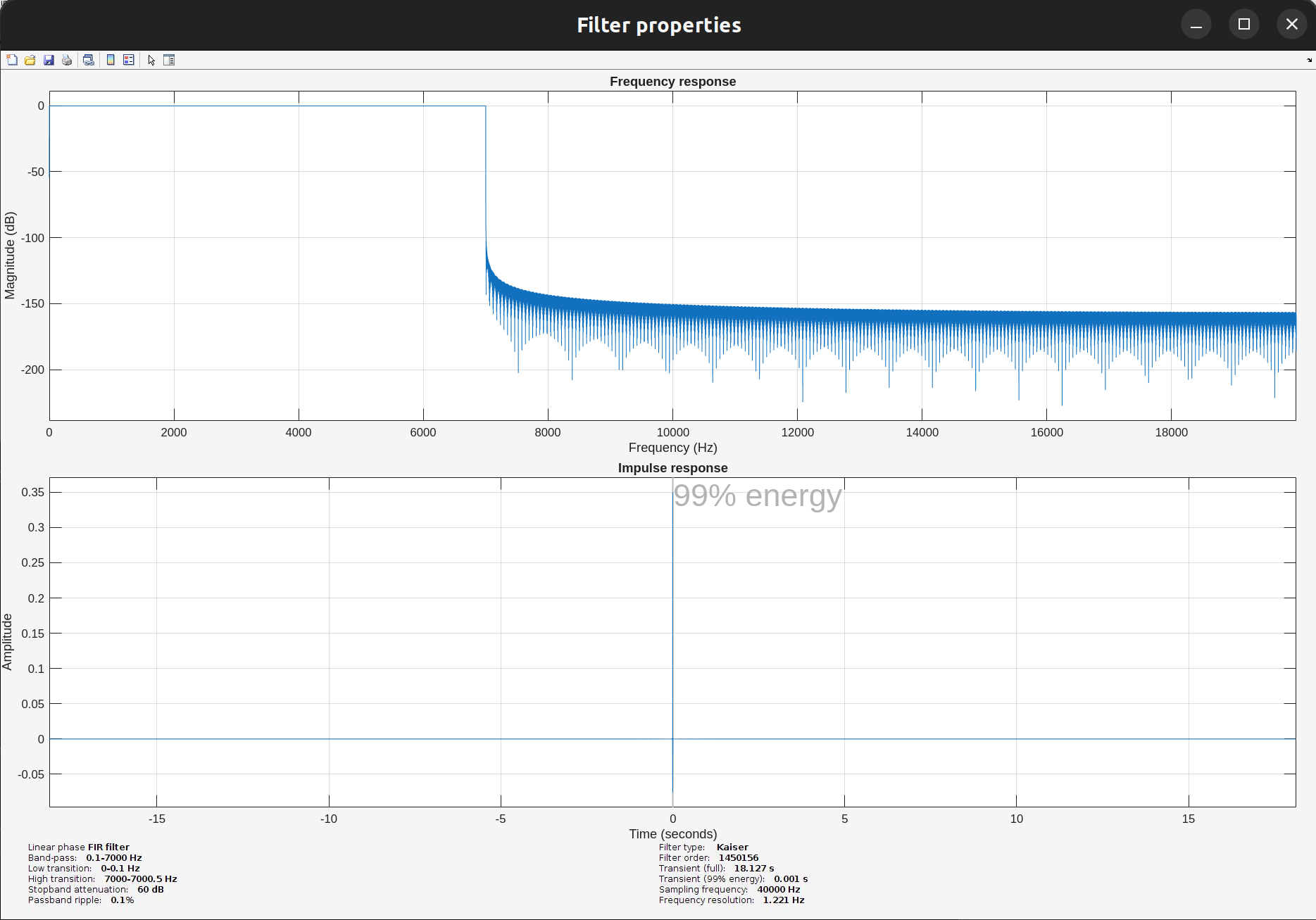
Thank you for your message. My sampling frequency is 40.000 Samples per second (40kS/s). I want this broad spectrum since I am capturing single unit activity. Here’s the Filter Response.
So here is my thinking, the filter order is huge: 1 450 156. Can this be the cause of the issue @Raymundo.Cassani ?
What i would try to do is:
Apply only the low-pass filter. Right now the high transition band is super narrow : 7000Hz to 7000.5 Hz. By applying only the low-pass filter you can relax this. Maybe use a transition band of 10 Hz so the transition is from 7 000 to 7 010 Hz.
Then apply the high-pass filter.
I think having a lower model order might help with the computation. What do you think @Raymundo.Cassani
Yes, checking Process the entire file at once is not a option the data at hand, just loading the entire file is over 200 GiB.
This is the behaviour you get with running without Processing the entire file at once, right?
Yes, the issue suggest that at some point the system runs off of RAM.
I'm not sure of the specific reason. As @edelaire mentioned, it could be due to the length of the filter, or some issue in the code. I'll check further and let you know.
Meanwhile, to test the filter length as cause, try to change the Stopband attenuation to 40dB
@raulca, in your case, the RAM leak is on the Matlab function fftfilt(). The combination of long data, and long FIR filter (> 2^20), leads to use very large NFFT.
%% Snippet from Matlab function fftfilt()
% nb = number of taps in the FIR filter
% nx = number of time samples in data

if nb >= nx || nb > 2^20
    nfft = 2^nextpow2(nb + nx -1);
that, and the function does a poor management of RAM, many variables could be cleared.
Solutions:
Relax your filter, changing the stopband attenuation to 40dB. This should lead to a filter with 2^20 taps, avoiding the RAM wasteful case in fftfilt().
Use other filtering function. In the Brainstorm preferences, uncheck Use Signal Processing Toolbox (Matlab) this will cause the filter to use the Octave function oc_fftfilt() which is equivalent for fftfilt() but has a better RAM management.
Thank you so much for this. I haven’t tried changing the filter to the Octave function, but relaxing the filter parameters has definitely helped. It takes a lot of time to process, but I’ll try changing to the octave processing functions.