Okay, so I ran it on my personal laptop (not the virtual environment) and it worked without issues...Using the same script I sent you, "script_new".
Yes, you are right, the sInputs is different between the personal laptop that worked and the virtual environment that didn't work.
When it worked (personal comp): sInputs is a 1x30 struct, reflective of the 30 epochs.
When it didn't work (virtual): sInputs is a empty [].
Importantly, I checked the sInputs for the step prior to eeg channel positions (i.e., importing epochs). In both situations, the sInputs is correctly 1x30 struct.
So it looks like that during eeg channel positions (on the virtual environment), the sInputs is switched from 1x30 struct to empty? Does that make any sense?
(I deleted and re-downloaded brainstorm for both environments before re-running everything today.)
It seems there is an issue with resolving paths in the function GetInputStruct() in bst_process, when it is called in L278
sInputs = GetInputStruct(OutputFiles);
as there are OutputFiles but the sInputs is empty.
Unfortunately, I have not been able to replicate it, and it seems you cannot replicated either outside of the virtual environment. To find the origin of this issue, in the virtual environment, you would need to debug GetInputStruct(). Place a checkpoint in it to verify how it is executed.
I've been working with the brown IT group to help me figure this out. It seems like the issue emerges when I set my "brainstorm_db" to our larger group's data directory, but things work correctly when I set brainstorm_db to my home directory. Which makes sense looking back on when my issue emerged in June, in that I had to move to the data directory because I had run out of space in my home directory.
We specifically see that that individual epoched files do not get created when saved in the data directory (but are created when running in the home directory).
brown IT is wondering if some of the files in brainstorm are hard coded to the database path in home directory? Even though I know how to move the database path manually in brainstorm.
Curious about your thoughts.
Thanks again. This has been a long road but hoping we are close to solving
Below, is when I put a symbolic link (in the home directory) to the brainstorm_db in the data directory. THe goal was to see if brainstorm woudl allow that while I could still store it in the data directory for space issues.
Weirdly, it worked, but it all the epoched files were deleted at some point in the process.
The [deleted] legend is printed either if they were really deleted, or if they were not created in first place.
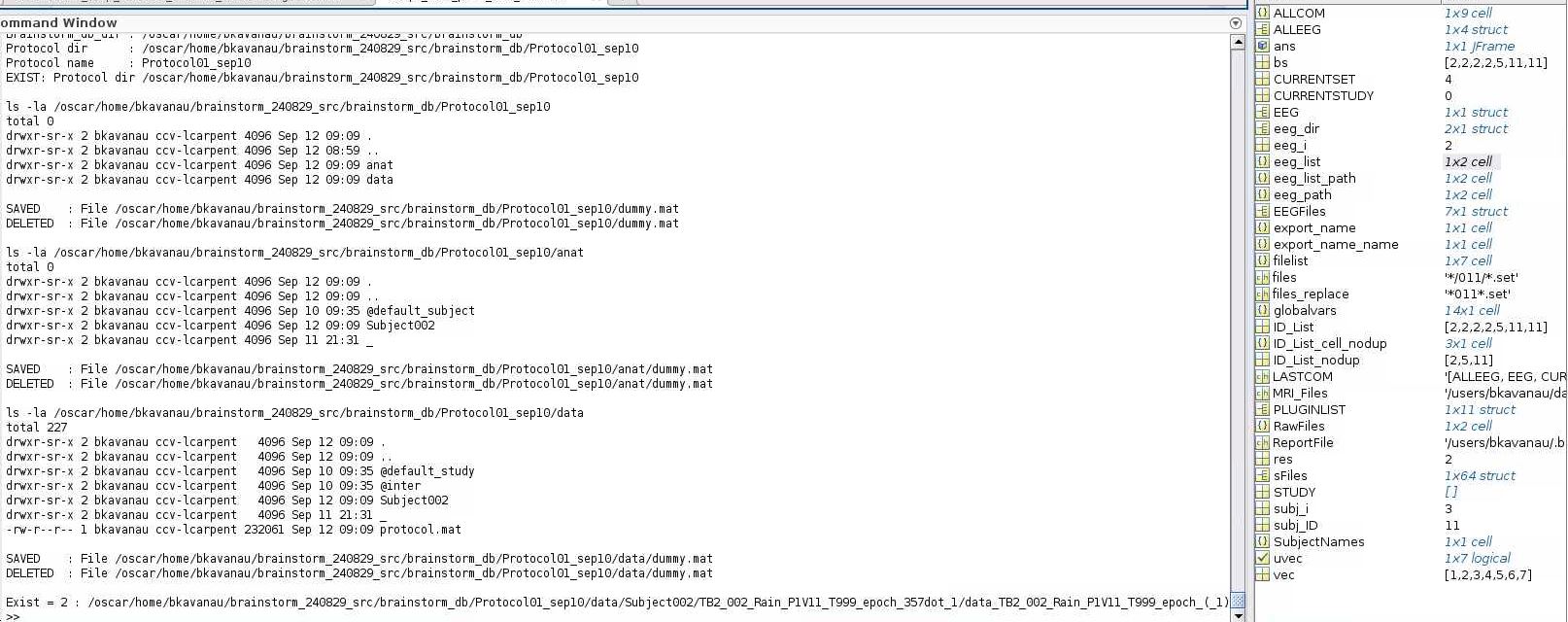
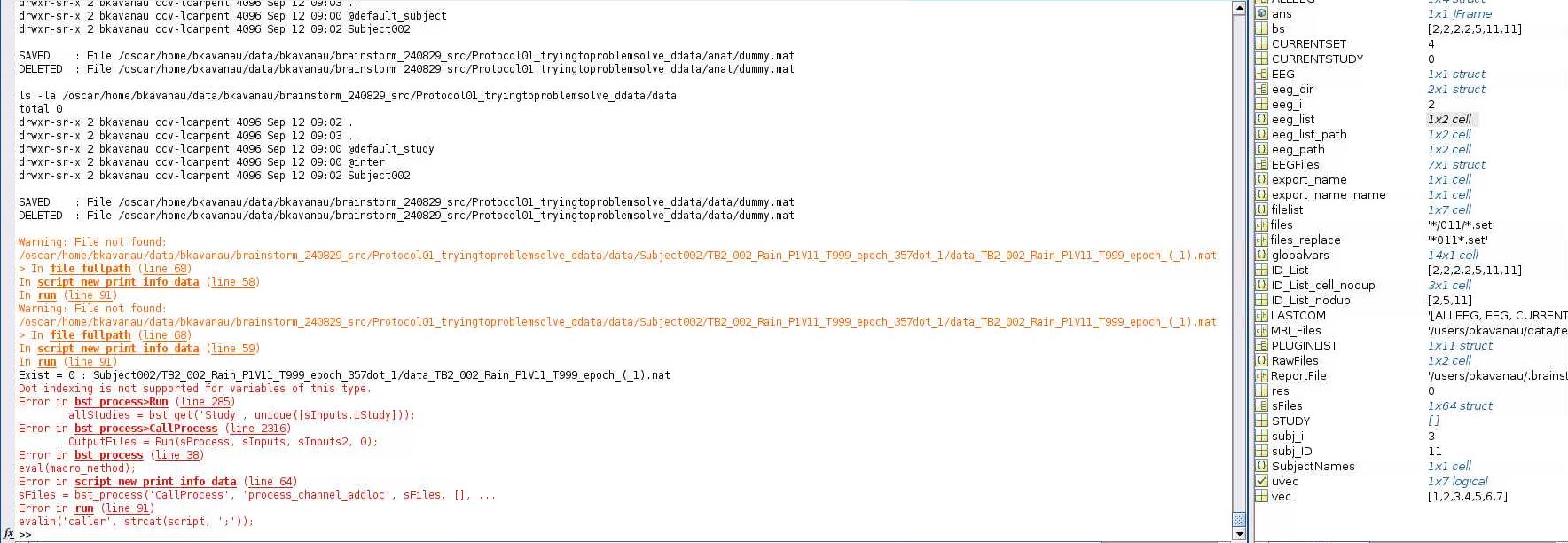
I created these pipeline (script_new_print_info.m) that uses (print_bst_info.m) to test the directory info and paths, file creating and file deletion while running your pipeline. Run the script_new_print_info while having print_bst_info in the same folder. Test your two setups and let us know the information that is printed in the Matlab command window.
Hi Raymundo, okay great. Here is what they look like in the home directory (where it works) and data directory (where it does not work). What else can I provide?
Hi Raymundo, Thanks again for all your help. I did not figure it out. But I found a temporary work around. It worked if I ran small batches of files in my home directory (this is the directory with a cap on space), and after each batch I deleted the brainstorm_db and started the next batch. Seemed to work for now!