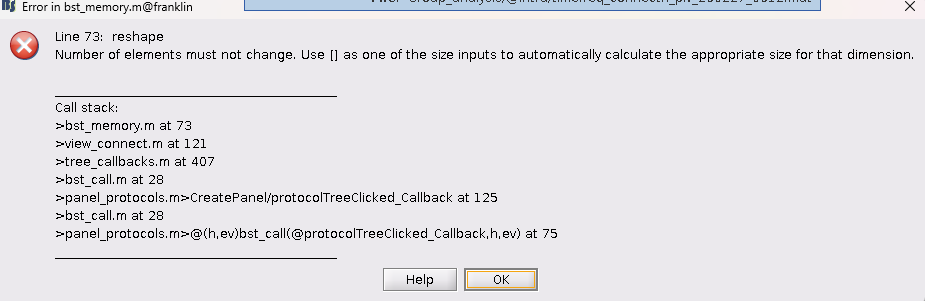
Hi, I was successful in unpacking the matrix & reordering the indices to what I want, but when I imported the TfMat back into Brainstorm, I got this error, which I’m not sure what it means. I would appreciate any advice. I know there’s a couple of similar posts, but I couldn’t find a solution in those. (Screenshot of the error & my script attached.)
R = bst_memory('GetConnectMatrix', TfMat);

disp(TfMat.RowNames);

% I want to order the scouts visually so that all left / right hemisphere
% scouts are grouped together on either axis.
% Left hemi scouts = odd numbers
% Right hemi scouts = even numbers
newIndex = [1, 3, 5, 7, 9, 11, 13, 15, 17, 19, 21, 2, 4, 6, 8, 10, 12, 14, 16, 18, 20, 22];

% reorder connectivity matrix indices
R_ordered = R(newIndex, newIndex, :);
TfMat.RowNames = TfMat.RowNames(newIndex);
TfMat.RefRowNames = TfMat.RefRowNames(newIndex);

% % Repack via compression (converts the NxN back to the vector Brainstorm
% % expects)
% TfMat.TF = process_compress_sym('Compress', R_ordered);

% I want to keep the full matrix
TfMat.TF = R(:);
TfMat.Options.isSymmetric = 0;


TfMat.Comment = [TfMat.Comment ' | Sorted Hemisphere'];

% Manually import TfMat into Brainstorm GUI to implement the change. %