Hello!
I performed the sub-regional segmentation of the hippocampus using FreeSurfer. Now, I want to import the results of this segmentation into Brainstorm and use them for the anatomical positioning of the SEEG electrode contacts. I hope that when exporting the anatomical positions of each contact point, we can determine their locations within the hippocampal subregion.
Hi @TheGala,
You can do this by importing the volume with the hippocampus segmentation as an anatomical parcellation (aka anatomical atlas)
First, import the FreeSurfer results, as shown in here:
https://neuroimage.usc.edu/brainstorm/Tutorials/ImportAnatomy#Import_the_anatomy
Then add the subregional segmentation:
- Right-click on the subject folder then select Import MRI.
- Select the file format "Volume atlas (subject space)"
- Select the files .mgz that corresponds to the subregional segmentation
- When impori
Question "Apply standard transformation?": YES
Question "How to register?": Ignore
Question "Reslice volume?": No
Now that you have the subregional segmentation as an Atlas, it is possible to find the parcellation that corresponds to each contact.
Right-click on the channel file > iEEG atlas labels > Select all the available options: coordinates in various coordinate systems, volume parcellations, surface parcellations. More details in here:
https://neuroimage.usc.edu/brainstorm/Tutorials/Epileptogenicity#Anatomical_labelling
Thank you very much for your reply! With your guidance, I am now able to see the sub-regions of the hippocampus that I segmented using FreeSurfer.
However, I have two more questions:
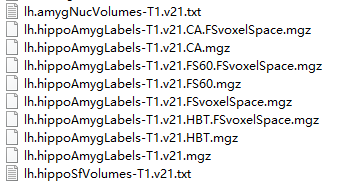
1. The file I imported is lh.hippoAmygLabels-T1.v21.CA.FSvoxelSpace.mgz. Is it appropriate to import this file? Or should I import the other files that were separated out by Freesurfer?
2. Have the imported files been properly registered according to your instructions? Did the file I imported completely align with the MRI-T1 data of the subjects and were they all in the same anatomical space?
Looking forward to your reply!