In unzip (line 38)
In bst_update (line 149)
In gui_brainstorm>@(h,ev)bst_update(1) (line 167)
Warning: Cannot overwrite file "brainstorm3\java\RiverLayout.jar". The file is already open.
In unzip (line 38)
In bst_update (line 149)
In gui_brainstorm>@(h,ev)bst_update(1) (line 167)
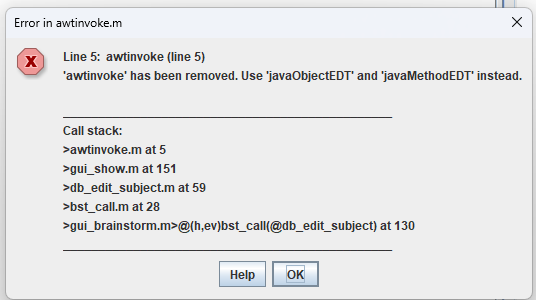
Hello @giogiobs, thank you for the information. This is not related to a Brainstorm update, but to the newest version of Matlab (R2026b) that does not support the current way Brainstorm is handling the GUI.
We will update Brainstorm to be compatible with R2026b in the next days.
Meanwhile, you can try using Brainstorm with a previous version of Matlab
@giogiobs, this is now solved at Commit 4daefc0
Please re-download Brainstorm
Starting with R2026b, MATLAB no longer ships with a default Java Runtime Environment (JRE) included out of the box. Thus it is needed to install it manually:
This change may affect features that rely on Java–MATLAB interaction. If you encounter related problems, please search the forum for existing reports, or post a new topic describing the issue.