I am following the tutorial to start my Brainstorm learning. However, after importing the sample data, I would like to link the raw files to the database. It went wrong, as the picture showed
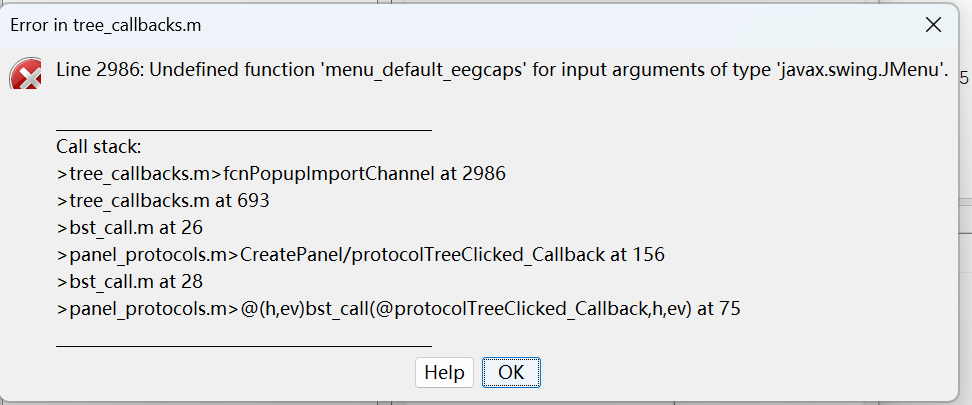
What can I do? I really appreciate your help.
I am following the tutorial to start my Brainstorm learning. However, after importing the sample data, I would like to link the raw files to the database. It went wrong, as the picture showed
Hi @Fusionvirgil, welcome to the Brainstorm community.
Are you using the latest version of Brainstorm? If not please update it,
Main window, menu Update > Update Brainstorm
When is this error appearing? (when you do click on which element?)
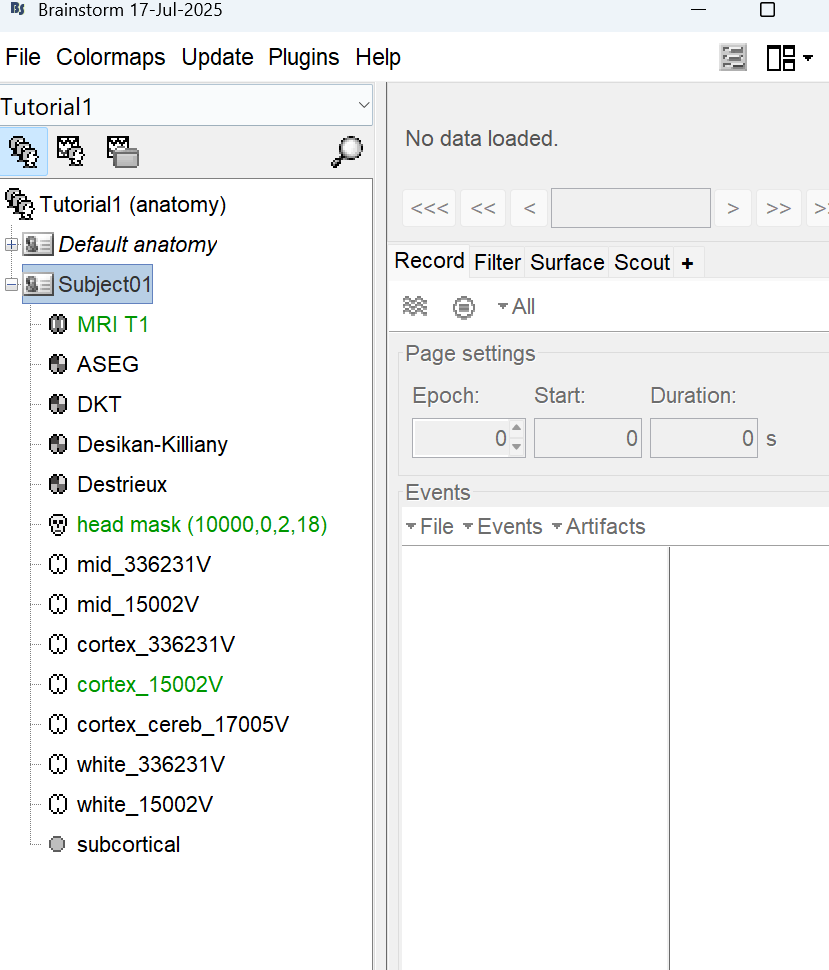
Please provide screenshots of the status of the Brainstorm database tree so we can have a better idea of your situation.
Hi, Sir. @Raymundo.Cassani
Thanks for your reply.
I have already updated my Brainstrom. However, things still go wrong.
This error happens when I am right-clicking the "subject01" in the "function data" view.
Looking forward to your reply. Much appreciation!
Fusion Virgil
2025/07/21
Start Brainstorm and then run these lines in the Matlab command window and post the result:
>> which('menu_default_eegcaps', '-all')

>> exist(bst_fullfile(bst_get('BrainstormHomeDir'), 'toolbox', 'gui', 'menu_default_eegcaps.m'))

>> sSubject = bst_get('Subject', 'Subject01');
>> sStudies = bst_get('StudyWithSubject', sSubject.FileName);
>> {sStudies.Condition}