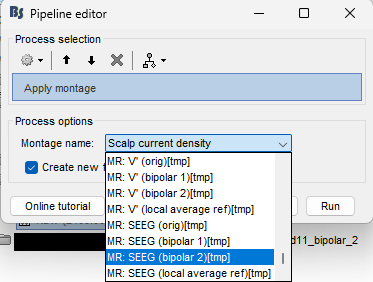
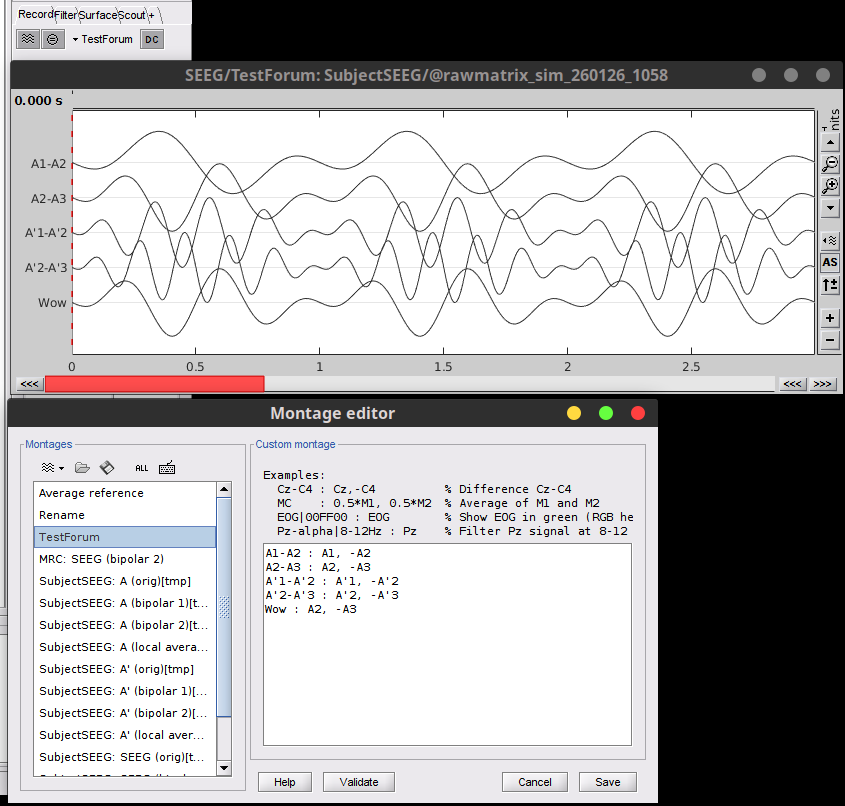
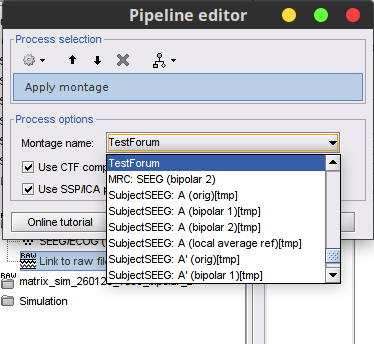
I am having trouble working with SEEG montages when electrodes have prime (‘). I do not want them generated as A, A’, B, B’ etc. I can edit the montage and save it but when I then try to apply it to the data (process-standardize-apply montage) I cannot access that edited montage.
Is there a work around or a better way of doing this?
Hello @sathompson8, can you provide more context on what you aim for?
Is it just renaming of the electrodes?
Please provide relevant screenshots.
I should have been more clear.
It is a study with contacts named both A (right) and A’ (left - a common convention).
The automatic montaging (bipolar2) organizes them alphabetically with right and left (‘)interwoven:
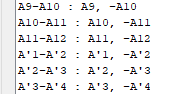
I can create a new motage by moving the groups of left an right channels.

This montage file is saved locally.
I then apply the montage to the data.
I like to apply that saved montage.
Thanks for the details, it is now clear for me.
Can you share your montage file, to check it on my side?
MR__SEEG_(bipolar_2)[tmp]_MR.mon (2.8 KB)
The problem is that I cannot locate this montage at the ‘apply montage’ process.
Hi @sathompson8, the issue is the name of the montage, remove the [tmp], e.g:
From: MR: SEEG (bipolar 2)[tmp]_02
To: MR: SEEG (bipolar 2)_LR
The tag [tmp] is used for montages that are created on the fly. Thus these are not saved when the figure is closed, this is why you do not see them in the process options.
Thanks for the explanation but where do I save it to that it is can be found in the ‘apply montage’ step:
There is no way of selecting a directory here.
There is no need to manually save it.
Just open the timeseries figure, load or create the montage.
It should appear in the montage editor. And you should be able to use it in the Record tab (this ensures it's a valid montage for your file)
Then close the timeseries figure. The montage is automatically saved.
The montage should appear as an option now in the Apply montage process.
Please note all possible montage appear in this option, that may difficult to find it.