Hi all!
I was wondering how to specifically get coherence values for just EEG sensors. Would I need to input scouts that match my sensors? I'm using resting-state EEG data.
Right now I have pre-processed the data and added EEG positions using a Generic cap, computed a head model, noise estimation, and computed source estimation. It will allow me to compute coherence between pre-determined Brodmann areas, but it does not automatically detect my EEG sensors.
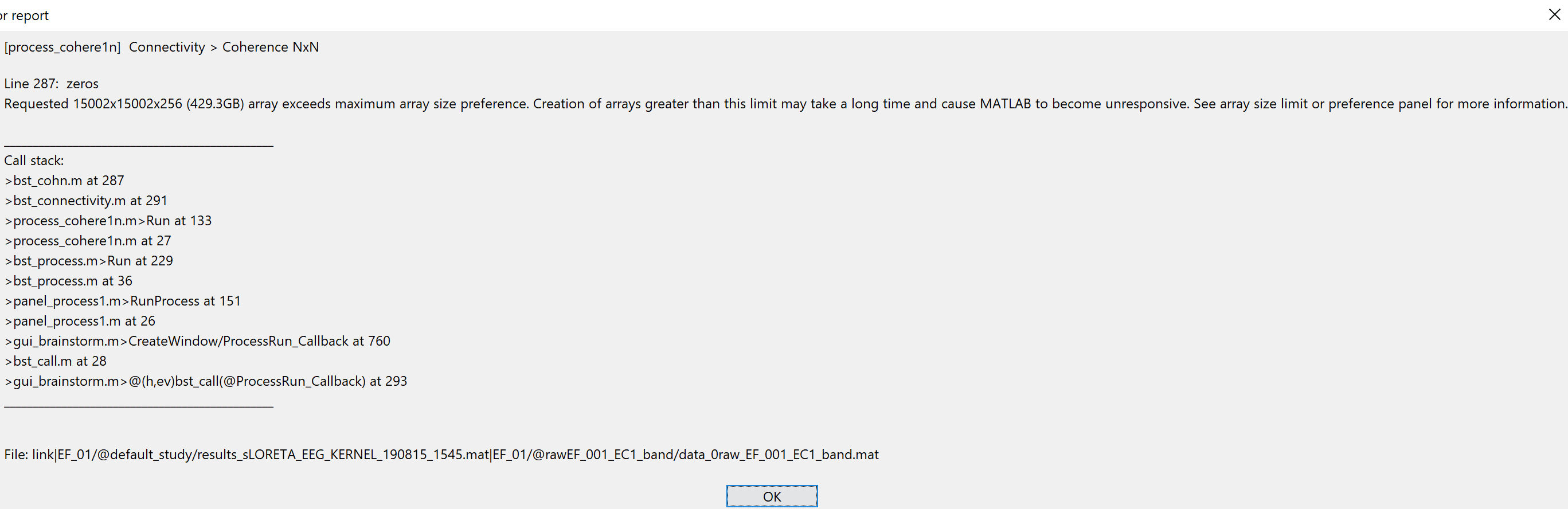
Instead, it tries to compute coherence for all possible vertices (15002 x 15002 x 256). See below.
Thank you!
Hello,
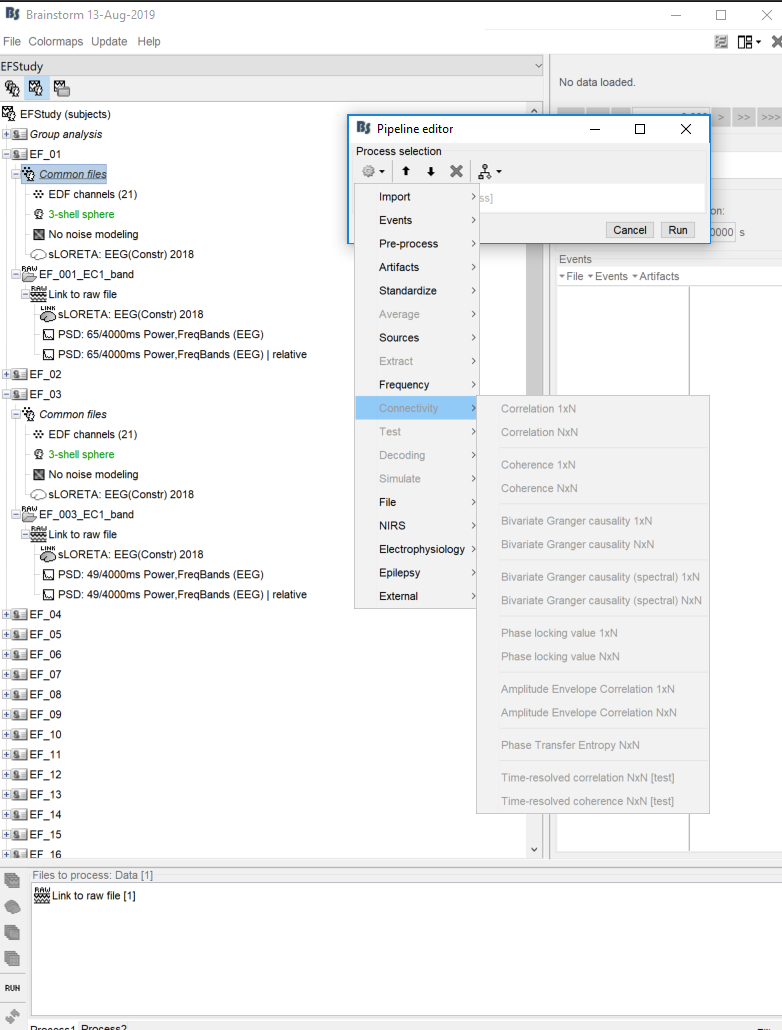
From your error message, you seem to be computing your coherence on your source data. If you want to compute connectivity measures on the sensor space, then you need to process your recording data files rather than your source files. Make sure that is what you dragged and dropped in the process box, and that the icon "Process recordings" is selected. Scouts won't be available since these are on the cortex rather than the sensor space. You can however select which channels you want to compute your connectivity on (or all of them).

I hope this helps!
Martin
Hi Martin!
Thanks for your help! Unfortunately, it still won't let me process the coherence data. The option is grayed out when I try using the "process recordings" option and the error notes that there is a data type mismatch.
Is there a processing step that I'm missing?

Best,
Jessica
Hi Jessica,
This process will not work with raw data, only imported data. What you need to do is to right click on your Link to raw file and select Import in database. Choose your time window of interest, apply the pre-processing you want, do not select any events and that should give you an imported data recording object that can be used. You can find more information on the importing options on the following tutorial page: https://neuroimage.usc.edu/brainstorm/Tutorials/Epoching#Import_in_database
Martin
Since I am using continuous data, when I import the data without epochs, it is marking the entire file as bad and it will not let me compute coherence.
Is there an additional step I need to perform since I am using continuous data?
Jessica
You can right click on the file in the Brainstorm database and click on "Accept trial".
Martin
That worked!! Thank you so much for all your help.
Best,
Jessica
1 Like
As a follow up, if I accept the trial, does that mean I am also accepting "bad segments" into my analysis? If so, how can I run this process so I remove the bad segments but also run connectivity on sensor data?
Thanks!
Jessica
Indeed, the bad segments are included in the computation of the coherence or any other connectivity measure. This information is not used in most processes running on imported recordings.
The only way to exclude blocks of recordings from the computation of the coherence is to import to the database only the good data, or to import many short segments (using the option "Split in time blocks", the ones including a bad segment would be marked as bad files) and then process them all at once with the option "Concatenate input files before processing" in the coherence process (the bad files are ignored by the file selection in Process1).
Note that this introduces discontinuities in the signals...
1 Like