Flat lines in Stellate after .edf export from Brainstorm

Hello team,

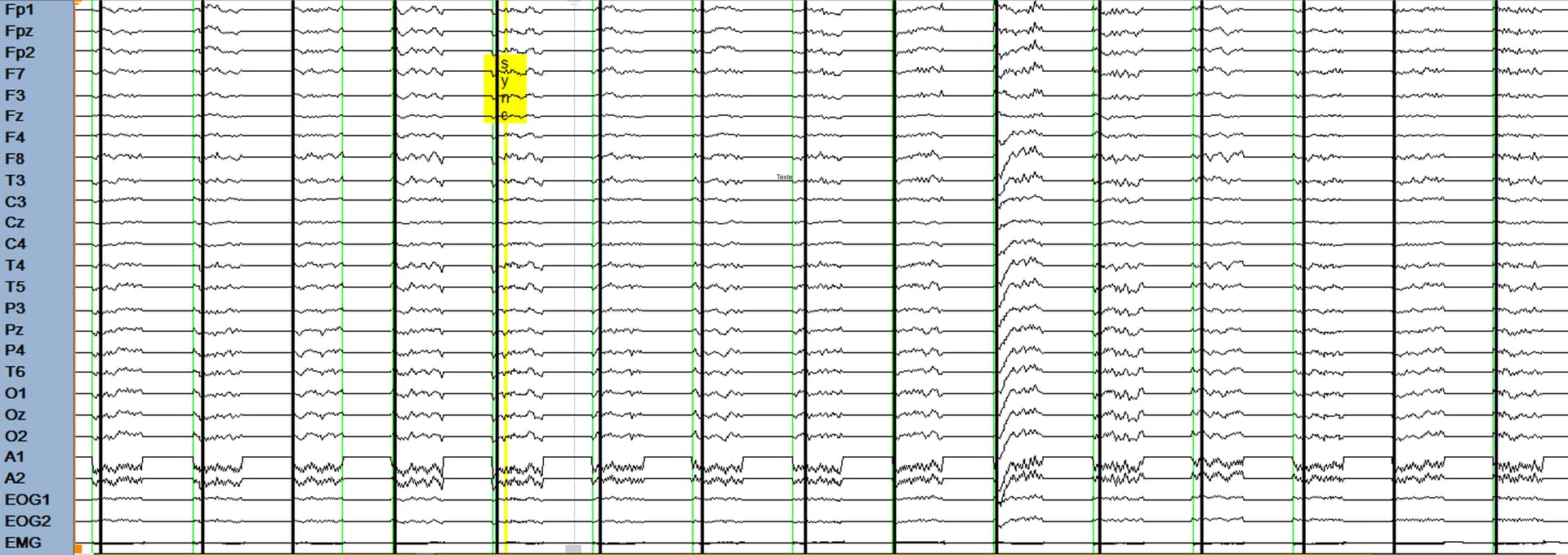
I am exporting an EEG file in .edf format to then import it into Stellate. When opening the exported file in Stellate, we observe flat lines in the signal (see attached screenshot). We managed to work around this issue by exporting the .edf file using AnyWave.

To export the file from Brainstorm, I use:
Right-click on Link to Raw | band (0.5-100Hz) | notch (60Hz) | resample (250Hz) | Synchronised→ File → Export to file.

Could any step in my procedure, a recent change in Brainstorm, or a problem with my local setup (I am running MATE) be affecting the .edf export?

Also, could this be related to the recent bug you just fixed?

I am attaching the file in question here: https://drive.google.com/file/d/1Jj6Q3O4dd-I5HS8JMPIHAn_8R7vPnc9G/view?usp=sharing

Thank you in advance for your help!

Mathilde

I tried opening with EDFbrowser and I got this error:

Can you share the original data, and all the step to reproduce?
Is this .edf file created using the bugfix that was commit today? Link to post

This should not have any effect.

Hi Raymundo,

The .edf file was created before the bugfix was committed. I regenerated a .edf file today after yesterday’s bugfix and an update of Brainstorm, but I don’t have access to the Stellate computer at the moment, so I haven’t been able to verify it directly

Here the access to the raw data: https://drive.google.com/file/d/1_84eA9KytFcEVborssMqeySM_VwVwogJ/view?usp=share_link

Regards,
Mathilde

Hi Raymundo,

We were finally able to open the .edf file exported today after the bugfix on Stellate, and it actually looks even worse (see screenshot)

Regards,
Mathilde

Interesting fact: If you take the raw file, and use import to database (importing the all file) then export to edf. it produce a very different file than exporting directly to edf. (300 Mb vs 600 mb)

“imported signal”

Raw signal

Edit: i forced the epoch size to be 250 here: brainstorm3/toolbox/io/out_fopen.m at master · brainstorm-tools/brainstorm3 · GitHub and it seems to be creating a correct file. By default Brainstorm was trying 1000.

so my guess would be that the issue is in EpochSize = bst_process('GetDefaultEpochSize', sFileIn);

it seems to be the same issue as in [EDf export] different result between continious file and imported epoch (it seems i forgot to reply back then; sorry )

With the shared data, I'm able to create a EDF file that is correct.
Please check in other software besides Stellate.

For exporting raw data, depending on the combination of (read) block size and the size of the EDF (write) record, it can lead to EDF records that have many zeros if the block size is smaller. Thus the file is longer. For imported data, the entire data is (read) in one shot, so it is efficiently splitted into EDF records. An improvement would be to read larger blocks. Nevertheless the output EDF files are healthy.
EDIT. Cross wrong information

I also did the test and the generated file is invalid. See my previous screenshot

Also the neurologist at our hospital want to use stellate so we need a solution for stellate too :slight_smile:

Actually it’s using shorter epoch size when dealing with imported data (250) vs (1000) for raw

Right, wrong EDF file

1 Like

It seems we are not using the same EpochSize for the header and file content:

%header
EpochSize = bst_process('GetDefaultEpochSize', sFileIn);

%content
EpochSize = bst_process('GetDefaultEpochSize', sFileOut);


Pushed a fix here: [I/O] EDF export by Edouard2laire · Pull Request #865 · brainstorm-tools/brainstorm3 · GitHub

It’s actually a crazy coincidence that the two were equal for so many files exported so far

This fix is now in the latest version of Brainstorm

1 Like