Hi all,
I hope you're doing well. Apologies for reaching out again and for the potentially basic question—I'm still new to NIRSstorm and trying to find my way around.
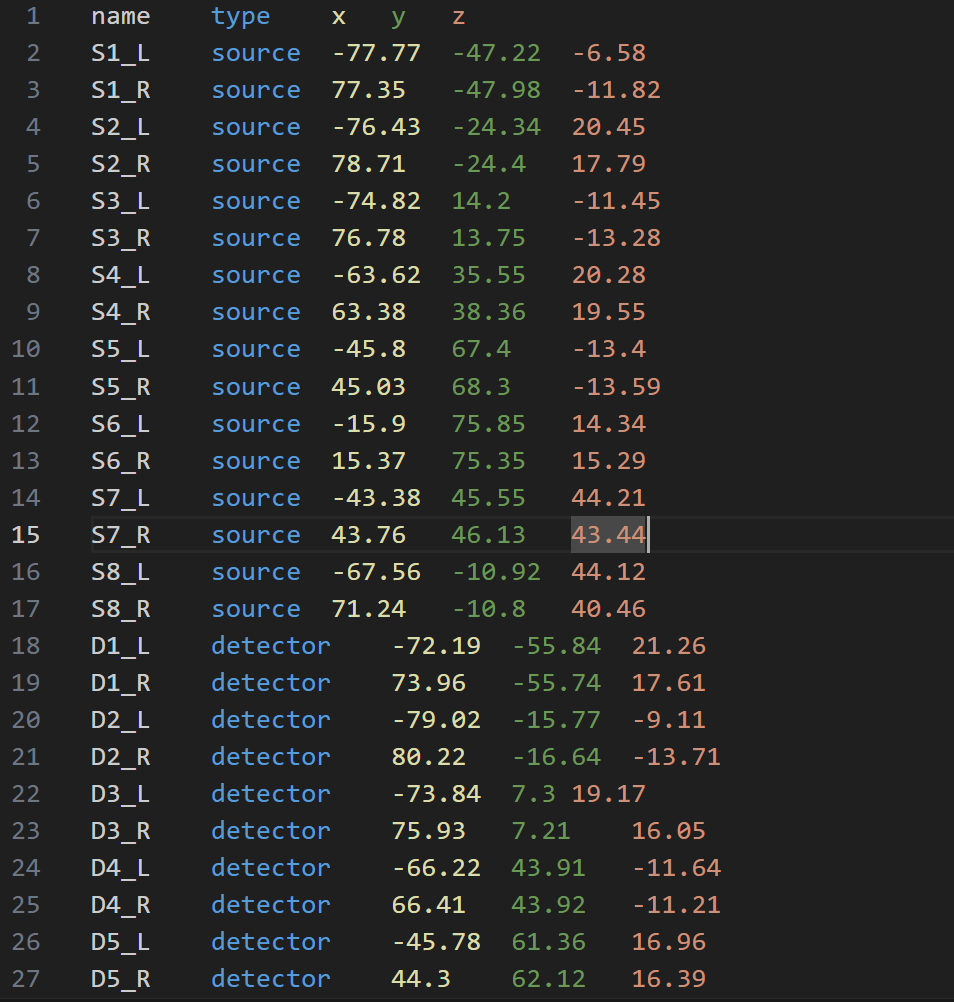
I've converted my channel information into a .tsv file and tried to import it via: "Add EEG position > Import from file > EEG: BIDS electrodes.tsv (MNI space in mm)"
Here’s a screenshot of what I’ve done:
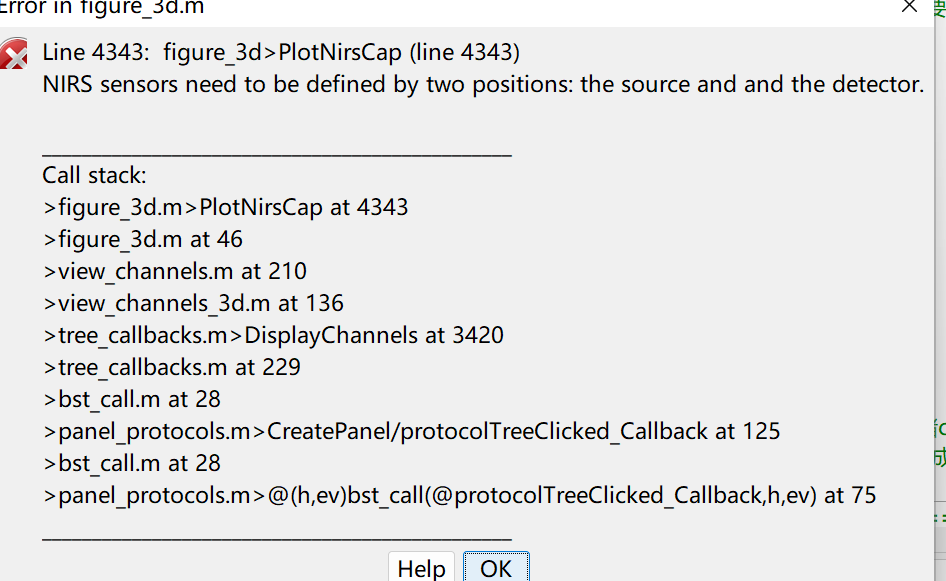
However, I’m still unable to get the channels to plot correctly or perform the projection. I came across a note mentioning that the NIRS_sensor structure must be defined based on sources and detectors:
The name of the optodes should be SX, DY where X and Y are number (so only S1, S2... and not S1_R, S1_L...)
You need to specify the channels: how the sources and detector are connected. Here you only provide the position of the optodes and not the link between the source and detector. I am working on having the possibility to import a channel.tsv file as define in BIDS; pobabily next week.
In the mean time, you can import a file .snirf or .nirs containing the channel definition, and then import the optodes coordinate.
In my setup, I used two fNIRS caps with the same amplfier simultaneously, which resulted in overlapping channel names. To differentiate between the two caps, I appended _L and _R to the channel names accordingly.
Regarding the channel information — it’s currently saved in the original MNI .csv file and reference .csv I uploaded. However, I’m unsure how to reconstruct the relationship between each channel and its corresponding source/detector, especially since only the channel-level MNI coordinates are available.
Could I ask:
How can I modify the names of the sources and detectors in this context?
How should I format the full channel information file (e.g., TSV format) to be compatible with Brainstorm/NIRSTORM, especially when only the MNI coordinates of channels are available? If the new function works as expected, would it be possible for you to share a sample .tsv file in the standard format used by Brainstorm? It would be very helpful for me to have a reference when preparing or converting my own channel/sensor data.