
Tutorial Connectivity in LFP recordings
[TUTORIAL UNDER DEVELOPMENT: NOT READY FOR PUBLIC USE]
Authors: Hossein Shahabi, Raymundo Cassani, Takfarinas Medani
In this section we will show how to use the Brainstorm connectivity tools on real LFP data.
Contents
LFP data recorded on monkey Experimental Setup and data recording
For this part we will use the Local Field Potential (LFP) monkey data described in Bresslers et al (1993), these data are widely used over the last past years in many studies.
The original data could be found in this link, more information on the data organization is explained here and also here.
These recordings were made using 15 surface-to-depth bipolar electrodes, separated by 2.5mm, implanted in the cerebral hemisphere contralateral to the monkey's prefered hand.For our analysis in this tutorial, we have selected the monkey named GE.
The data are recorded from 6 main areas of the right cortex (Straite, Prestriate, Parietal, Somato, Motor, and frontal cortex). The approximative locations of the 15 electrodes are shown in this figure. The are digitazed at 200sample per second (200Hz).
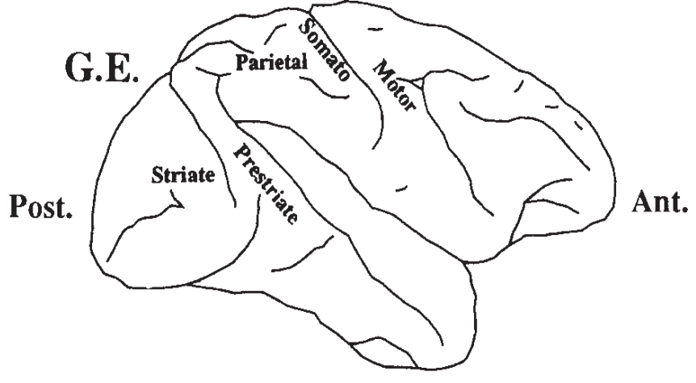
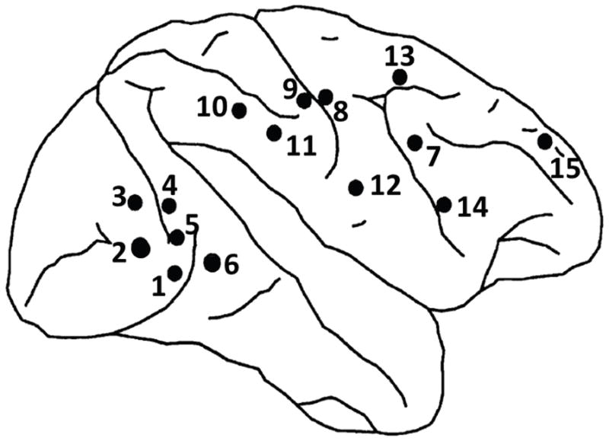
On the left, a scheme of the monkey brain area, on the right, the locations of 15 electrode pairs in the right hemisphere (reproduced from Aydore et al (2013) and Bresslers et al (1993)).
In these experiments, the monkey was trained to depress a lever and wait for a visual stimulus that informs the monkey to either let go the lever (release/GO) or keep the lever down (not release/NOGO). The visual stimulus is presented with four dots arranged as a left (or right) slanted line or diamand on a display screen. (The dots form either a shape of a diagonal line or a shape of a diamond.)
For our analysis in this tutorial, we select a dataset with a diagonal line as the 'NOGO' stimulus and the diamond as the 'GO'.
For more details about the experiment please refer to Bresslers et al (1993) and to this page.
Importing and analyzing data within Brainstorm
For our case, we imported and adapted the data to the brainstorm format, you can download a sample of the data here. (todo >this sample contains only 50 epochs per condition, the full data should uploaded asap)
Voltage is in uV and was recorded at 200Hz sampling rate. After pooling and ordering the dataset together, we randomly select 480 trials for each condition (GO and NOGO) with only one conctingency for condition (only one kind of stimulation for each condition).
Timeline explanation
Defining the lever initial descent to be at time t = 0ms. Each trial lasts 600ms, the stimulus was given 100ms after the lever was depressed, and last for 100ms. On GO trials, a water reward was provided 500 ms after stimulus onset only if the hand was lifted within the 500ms. On the NOGO trials, the lever was depressed for 500ms.
In the following figure, we show the time line of the averaged response for the 480 epochs for the GO condition. The blue line is at t = 0ms begening of the recording, the green line is the stimulus onset at t = 100ms, the orange line is the mean time of the response onset in the case of the GO condition (release the lever), the red line is the time cursor, set at t = 250ms, time that we choose to separate between early response and late response in this tutorial.
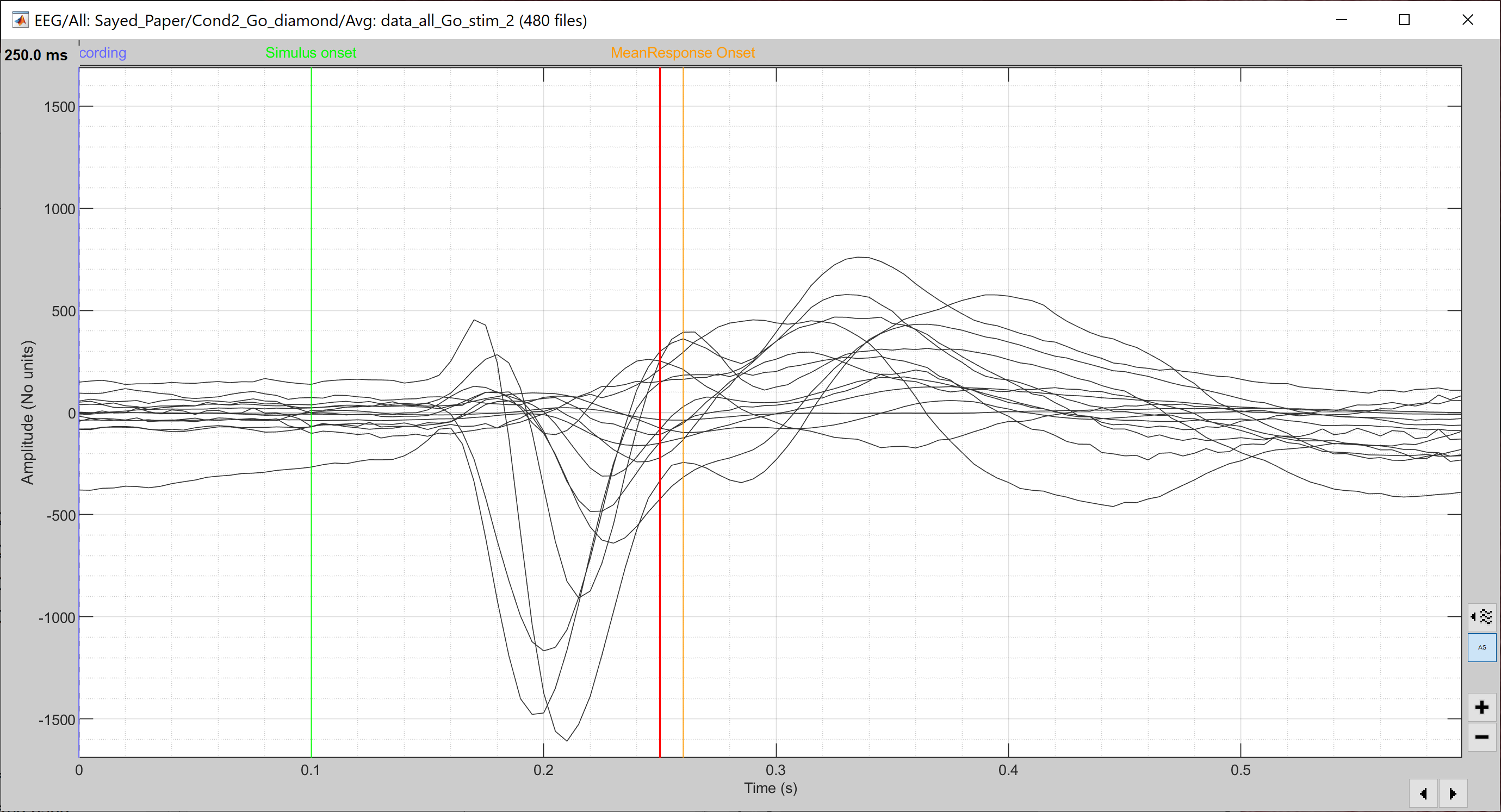
In this analysis, we will focus mainly on two windows. The early response for t ϵ[100, 250 ms] in which we expect a visual activation on the occipital area (striate and prestriate areas, group of electrodes 1 to 6). We will also show some analysis on the late response, for t ϵ [250, 450 ms] in which we expect an activation/connectivity between the striate and motor cortex in the GO condition and no or less activation for the NOGO condition.
Process of computation
For most of the connectivity measures, we will use the following steps :
First we compute the the connectivity value between one pair of electrode (or scouts) for each trial (time serie), in this case we have 480 trials for each condition, therefore we will compute 480 values for each pair of electrods. After that we will average the connectivity over all the trails and we will get the average value for the pair of electrodes. As explained in the previous sections, Brainstorm offers two options, the NxN (matrix) or 1xN (vector) measures, whre N is the number of channel.
- Step 1 : Drag and drop all the trials for both condition in Process1 tab.
- Step 2 : Click on [Run] to open the Pipeline editor. Select the desired connectivity measure, choose the desired parameters (see bellow) and click on Run the computation.
- After running the connectivity processes, you can find a multi-dimensional matrix of connectivity in the database. This matrix (or vector) is computed for each trial. But in this case s=we need to average all these data.
- Step 3 : Average the connectivity measure for all trial bellonging the same condition.
On the Process1, select the option 'time freq' process, and click on Run. Select the process "Average > Average files". Select the options: By trial group (folder), Arithmetic average, Keep all the event markers, then lunch to computation.
- An average of the connectivity measure is computed and appeares in the Brainstorm database window.
Remove intermediate data :
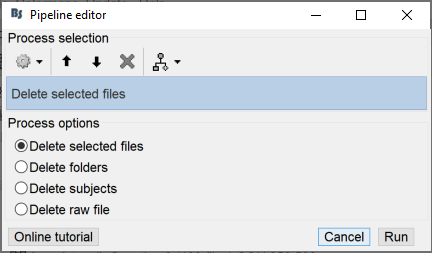
To free space in your hard disc and in order to be able to compute other connectivity meaure, you can/should remove the previous individual connectivity for each trial. To do so, keep the 'time freq' in process1, click Run and choose : File>Delete File>Delete selected Files and then click on run. This process will delet the individual data for each trial.
Phase Locking Value (PLV)
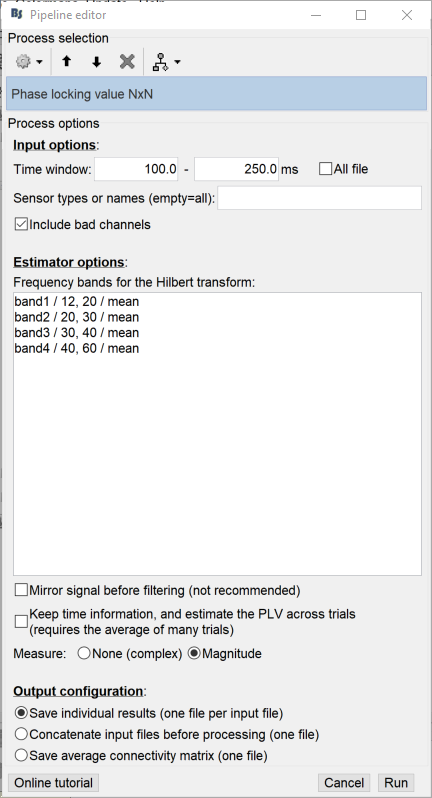
We select the two groupes of files in the the process 1 (drag and drop), then hit Run, select Connectivity then Phase Locking Value NxN. Choose time window between 100 to 250ms (for early analysis and later 250 to 450 ms for the late response).
For Hilbert transform, we select bands from 12 to 60 Hz as shown in the fugure. The PLV is more accurate on short frequency band and to pretend for significant value we recommend to use time windows with more than 100 samples (it's not the cqse in this data).
For the remaining, keep the other options as they are, select the Magnitude and choose the option 'Save individual results (one file per input file)' and finaly click on Run.
This could take some times according to your computer and the size of your data.
Now, in order to have one measure for each condition, we need to average all the connectivity measure across trials. We do this from the Brainstorm Process1 window, select 'Process time-freq' (the third icone). Then click on run and select : Average->Average Files, select the option : By trial group (folder average) with the function Arithmetic average. This will compute the average connectivity PLV matrix for the Go and NoGo stimulus.
In order to represent this matrix, there are several options.
Right click on the connectivity file and select the first option > Display as graph [NxN]. We display both figures for the GO (left figure) and NOGO (right figure) conditions.
As explained above, we will focus on the early response in which we expect high connectivity measures on the striate and prestriate areas. For the late response, we expect high measures on/between the occipital and motor cortex du to the eventual hand movements..
Early response t ϵ [100-250 ms]:
The first option to display the results is: select the connectivity file in the database, right-click and then choose the first option "Display as a graph" From the brainstorm control panel "Display", we can tune the value of the frequency band from the cursor. Same options are available for the connectivity threshold and for the distance filtring.
Intensity threshold: You can play with the cursor of threshold in order to show more or less connectivity between the nodes.
Distance filtering: set a limit physical distance between two nodes (electrodes in this example).
Frequency band selection: Some of the method compute the connectivity within the frequency band, as the PLV, in this case, you have to select the band with a cursor
For these data we don't have the exact location of the electrode on the cortex, we build an approximation of the location, therefore we will set the distance filtering to zero in this case.
For the following figure, we choose 0mm, band1, threshold 0.844.
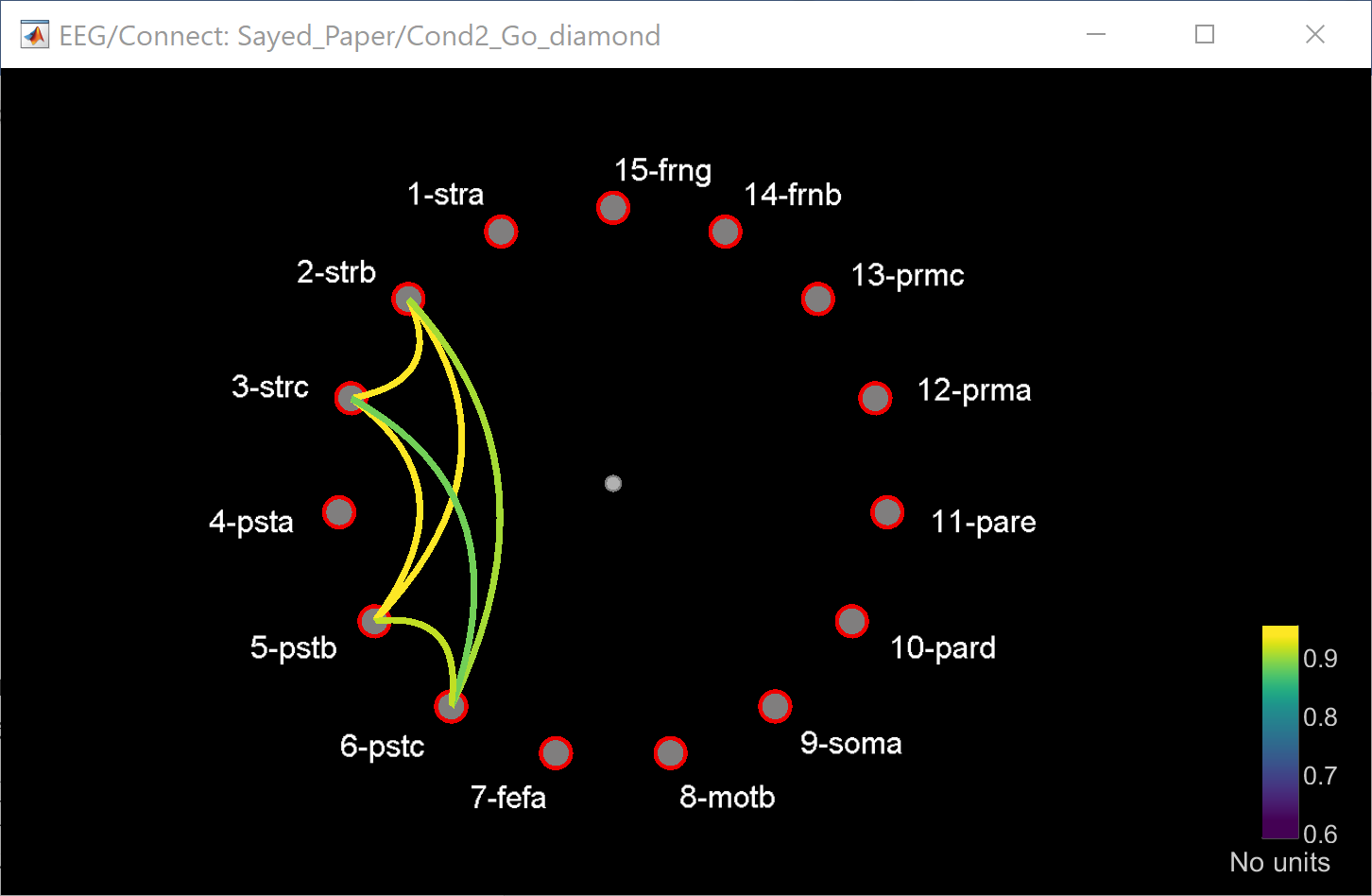

As we expected, the results show high connectivity value (PLV) between the striate and prestriate area. The strength of the measures is almost the same for both conditions, however, we observe some difference on the electrodes between the Line and the Diamond, this is probably due to the difference on the shape (patern) of the visual stimuli.
We will also display the connectivity matrix as an image, either by selecting the measure and press 'Enter' or Right-click on the connectivity file and select the first option > Display as an image [NxN]


As we saw before, the highest values are between the electrodes 2, 3, 4, 5, and 6 which are in the occipital cortex.
To highlight the difference between the two conditions, we can use the Process2 and compute the difference between the two images. (Further methods for statistics are under development)
From the Process2 bar, we can compute the difference between the images in order to highlight the main difference between the two condition. To do that, you jus drag the associated connectivity file for the condition one to the Files A and the condition two to the files B, then click on run, select Difference, then one of the proposed options, in this tutorial we selected the 'Normalized: A-B/A+B'. 
The resulted image shows the highest difference in the connectivity is between the electrodes (2,6) and (3,6), this is exactely the difference that we observed in the previous graphes, which is mainly the difference between the two conditions. There is also diference in the paires (1,14), (8,14) and (11,14), which involves the visuql, the motor and the frontal cortexes, probably due to the preparation to the decision making, and prepare to activate or inhibite the action of the hand.
Late response t ϵ [250-450 ms] :
distance filtering : 0mm, band1, threshold 0.644

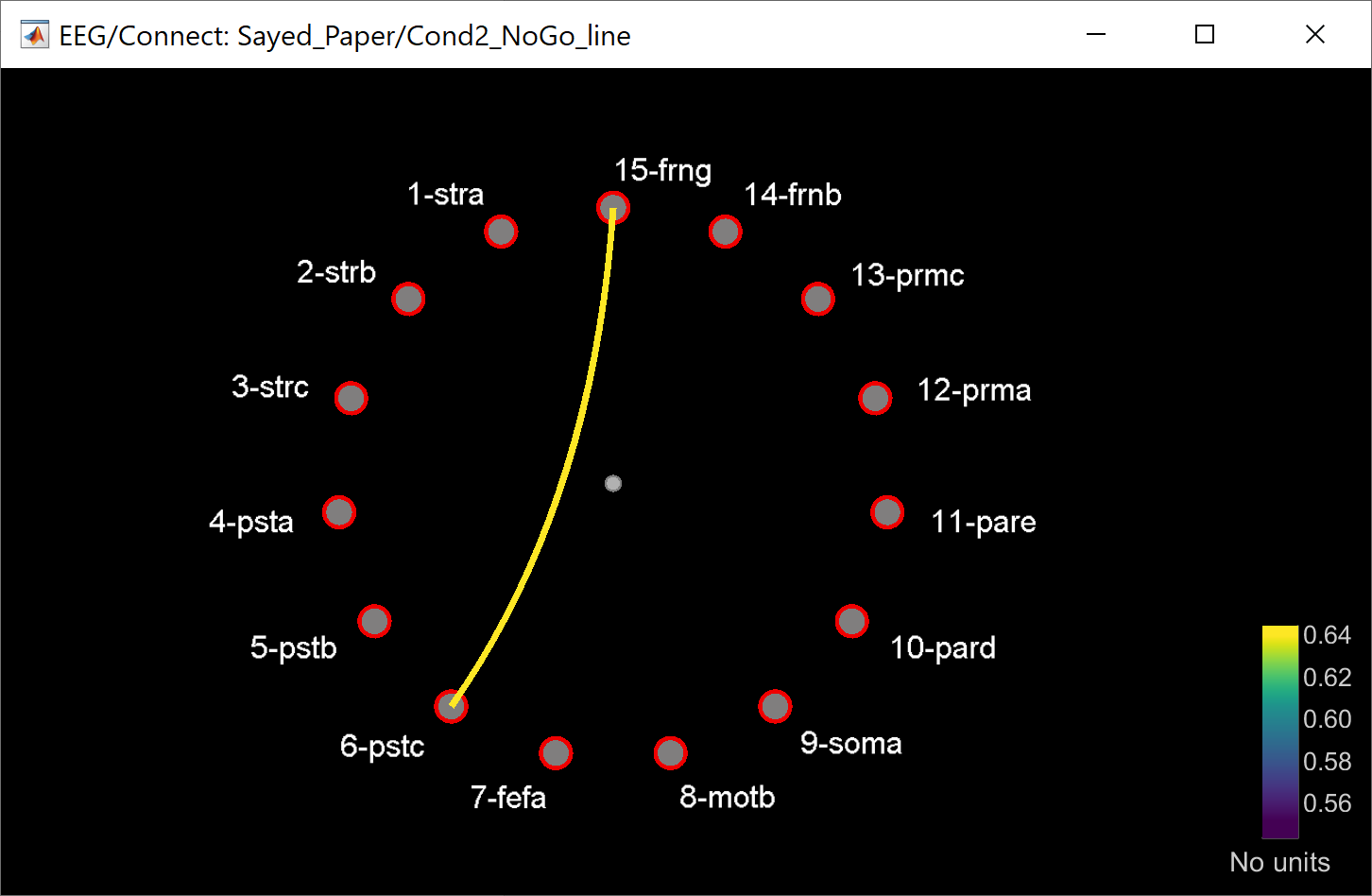
In this late response, also as we expected, we see higher value in the GO condition then the NOGO condition. Also we observe a connexion between the striate to motot cortex, this connection is related to the mouvmenet of the hand to release the lever.
These results show also the connection between the striat/prestiriate to the frontal regions since this later is involved in the selection of actions based on perceptual cues and reward values as shown in this paper.
These connectivity results are highly correlated to the ones observed within the previous publications Aydore et al. (2013) and Bresslers et al (1993). We should also notice that is in this process, the difference in the result is related to the implementation methods, the selected time windows and the sample data size and choice (here we picked randomly 480 samples from each condition).
As in previous, we will visualize the results as an image for the difference between the two conditions.
Of course, ultimately statistical analysis of these maps is required to make scientific inferences from your data.

From this matrix, we can check pixels by pixels the different values and combinations of electrodes, we notice a slight difference between the electrodes (1,4), (2,4), (1,8), (2,9), (2,10), (4,8), (7,8) but also it shows the highest value between (3,9) and (9,14) wich is related to the connection between the visual cortex to the motor cortex and to the frontal cortex.
Remove the ERP from the signal:
As explained in the previous sections, some connectivity measures can be estimated without the the ERP, this option brings the signals to a slightly more stationary state [Wang and al]
If we choose the option that remove the ERP from each trial before computing the connectivity, we end up with these results (todo : remove the erp is not available on bst for plv for now) :
Early response t ϵ [100-250 ms] :
Parameters : 0mm, band1, threshold 0.75


Late response t ϵ [250-450 ms] :
Parameters :0mm, band1, threshold 0.666

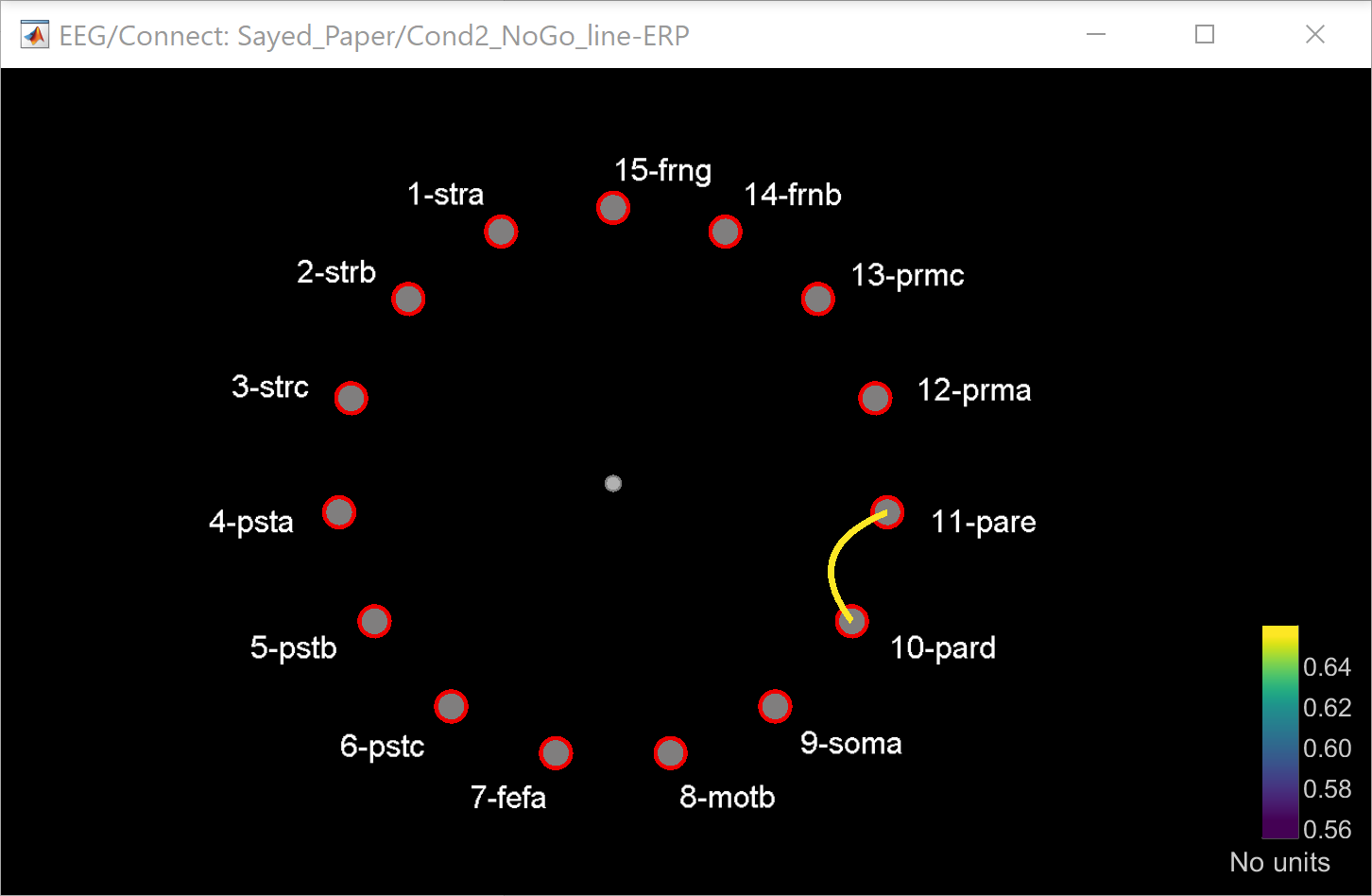
We observe coherent results with this option. For the early response, a new connextion in the cortex motor between the node (10,11) is highlighted. For the late response, more connextion value are visible in the cas of GO condition.
Coherence (COH)
We use the same data as previous, and we will compute the coherence. We will try to show similar results as shown in the Bresslers et al (1993) in which high value of coherence are observed between the striate and motor cortex areas for the GO condition within the freauency band 12-25 Hz.
Early response t ϵ [100-250 ms] :
Parameters : 0mm, band2, threshold 0.5, with the ERP


For both conditions, we observe similar value.
Late response t ϵ [250-450 ms] :
Parameters : 0mm, band2, threshold 0.35, with the ERP

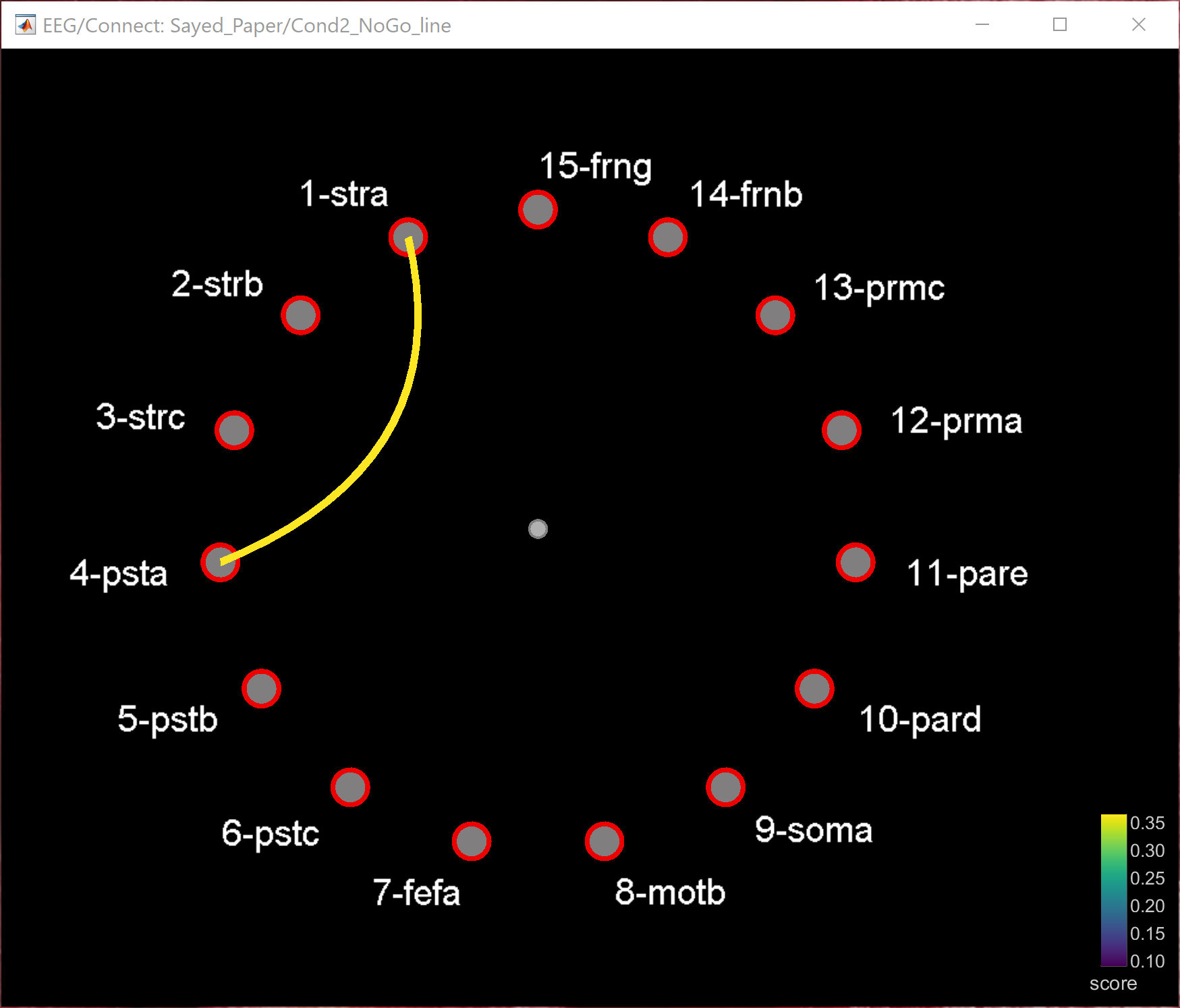
As expected, in this case, high value of the coherence are observed for the GO condition (>0,6) wherease for the NOGO condition this value is less than 0,4. We noticed also connection between the visual striate and prestriate to the motor cortex in the GO condition.
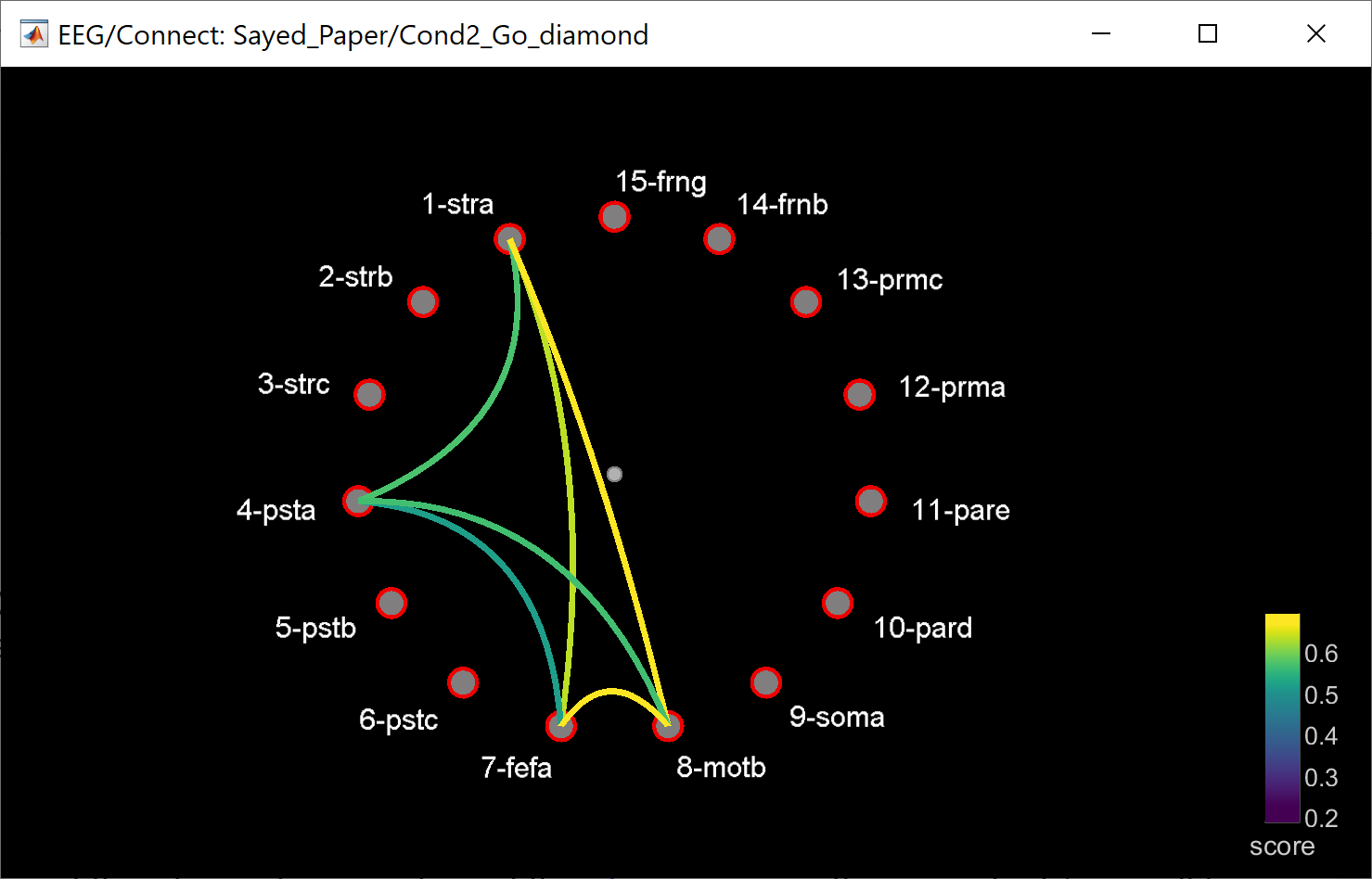
Results without the ERP : Early respinse t ϵ [100-250 ms] :
Parameters : 0mm, band1, threshold 0.35,

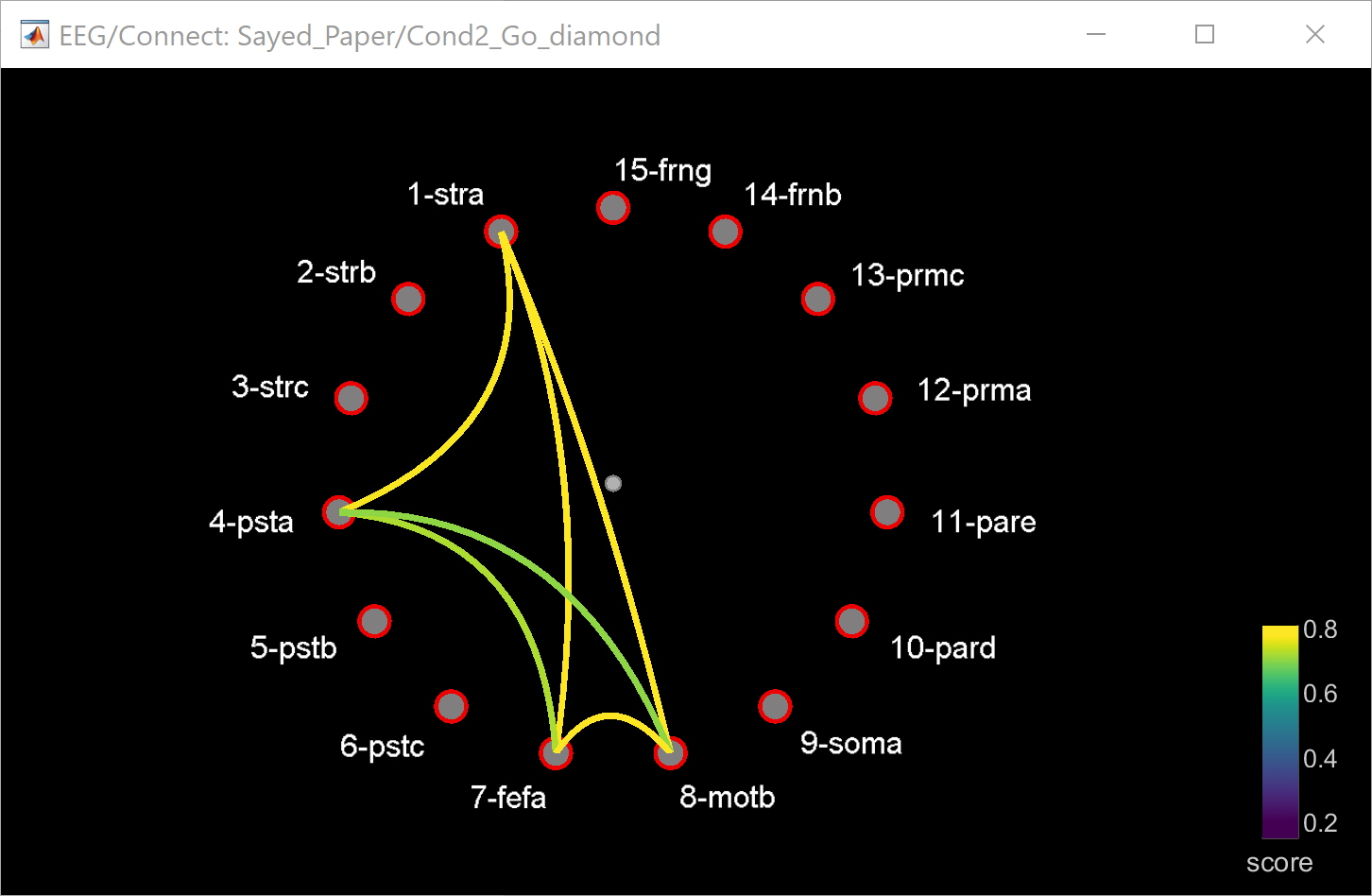
Late response t ϵ [250-450 ms] :
Parameters : 0mm, band1, threshold 0.66

Correlation (COR)
We use the same data as previous, and we will compute the correlation. As explained before, the correlation is the basic and simple method to observe interaction between region.
Late response t ϵ [250-450 ms] :
Parameters : 0mm, threshold 0.7, with the ERP


Parameters : 0mm, threshold 0.63, without the ERP


Spectral Granger Causality (SGC)
Early response t ϵ [100-250 ms] :
Parameters : 0mm, threshold 2.5, band1 12.5, with the ERP
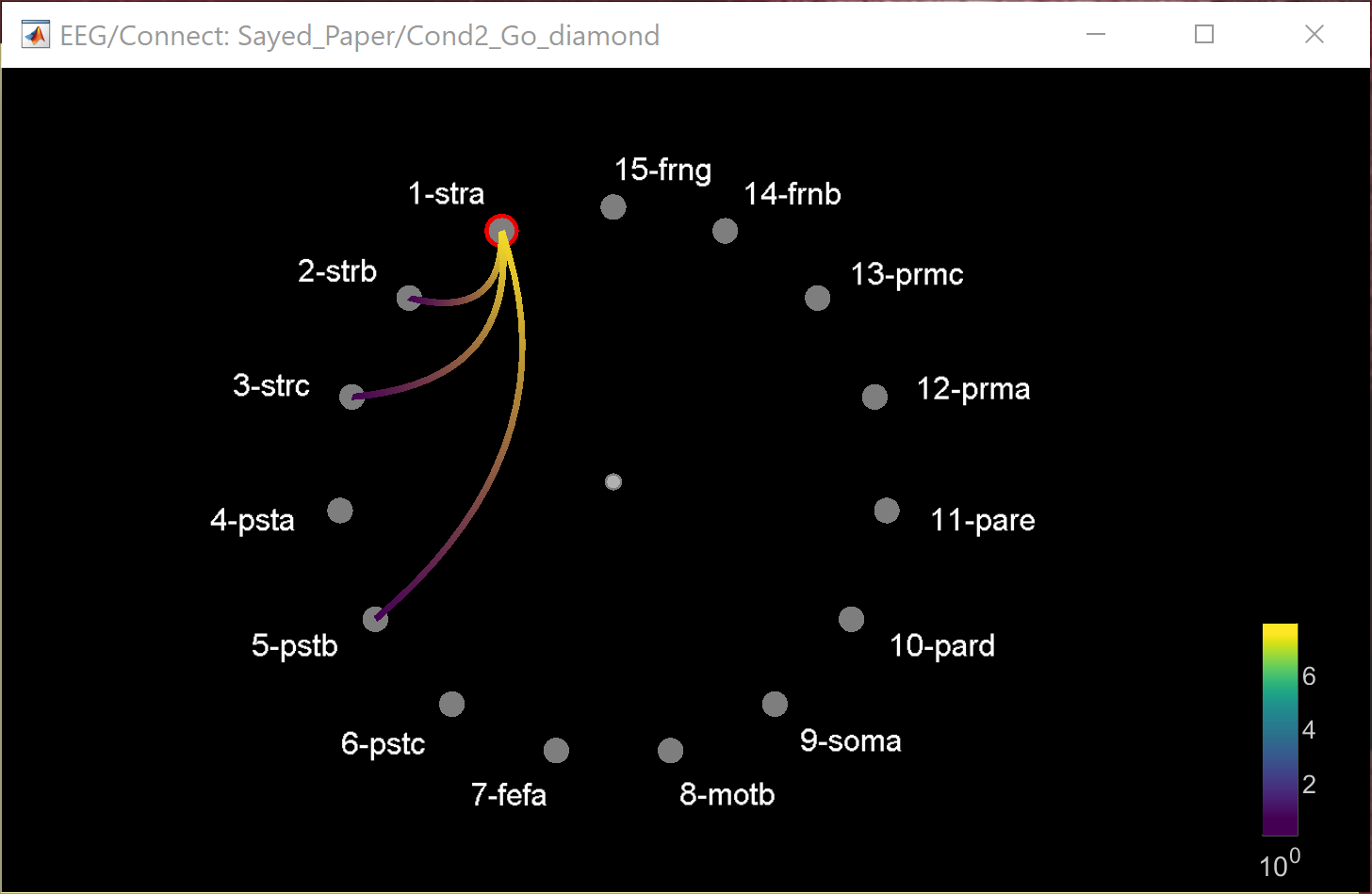

In this example, we see that reciprocal causal influences existe between the electrodes of the striate (1,2,3) and the prestriate(4,5,6). We can also see that the the channel 1 initiates the exchange, and physiologically, the striate cortex precedes prestriate cortex in the anatomical organisation of the visual system.
Late response t ϵ [250-450 ms] :
Parameters : 0mm, threshold 0.315, band1 12.5, with ERP
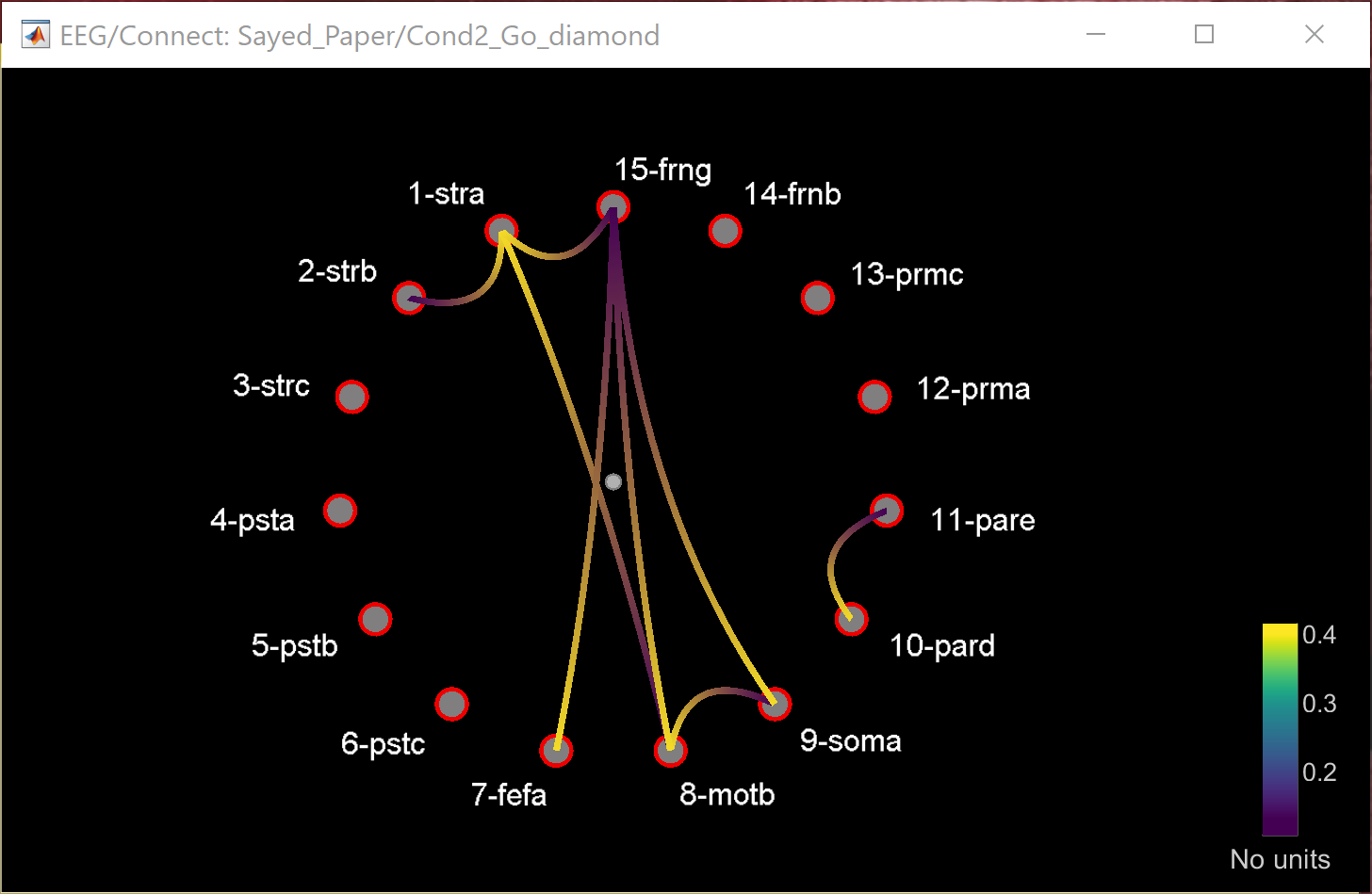

Early response t ϵ [100-250 ms] :
Parameters : 0mm, threshold 2.5, band1 12.5, without ERP
Late response t ϵ [250-400 ms] :
Parameters : 0mm, threshold 0.315, band1 12.5
Early response: without ERP
- distance filtering : 0mm, threshold ~0.5, band1 12.5

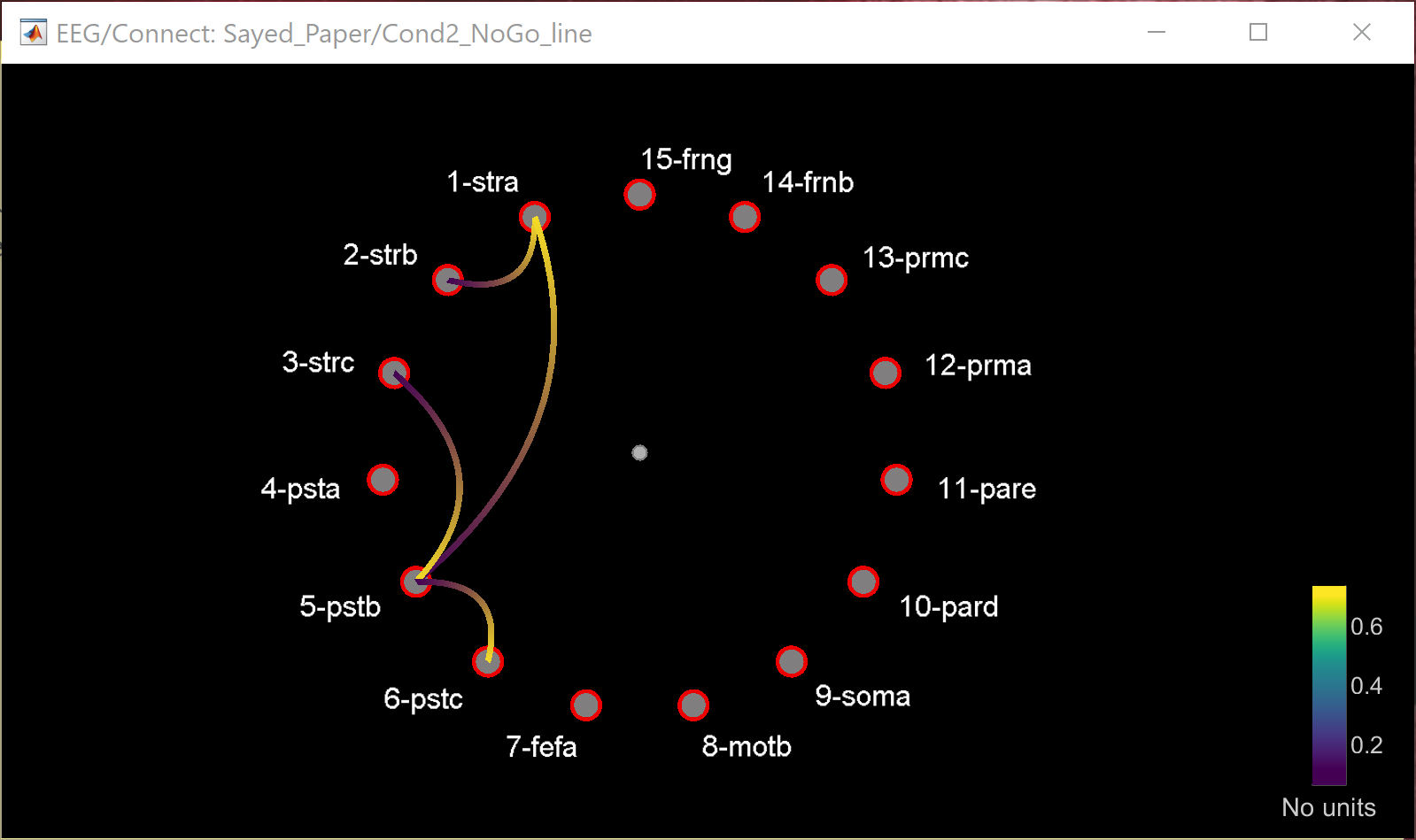
Late response: without ERP
- distance filtering: 0mm, threshold 0.315, band1 12.5
Early response: without ERP
- distance filtering : 0mm, threshold ~0.5, band1 12.5
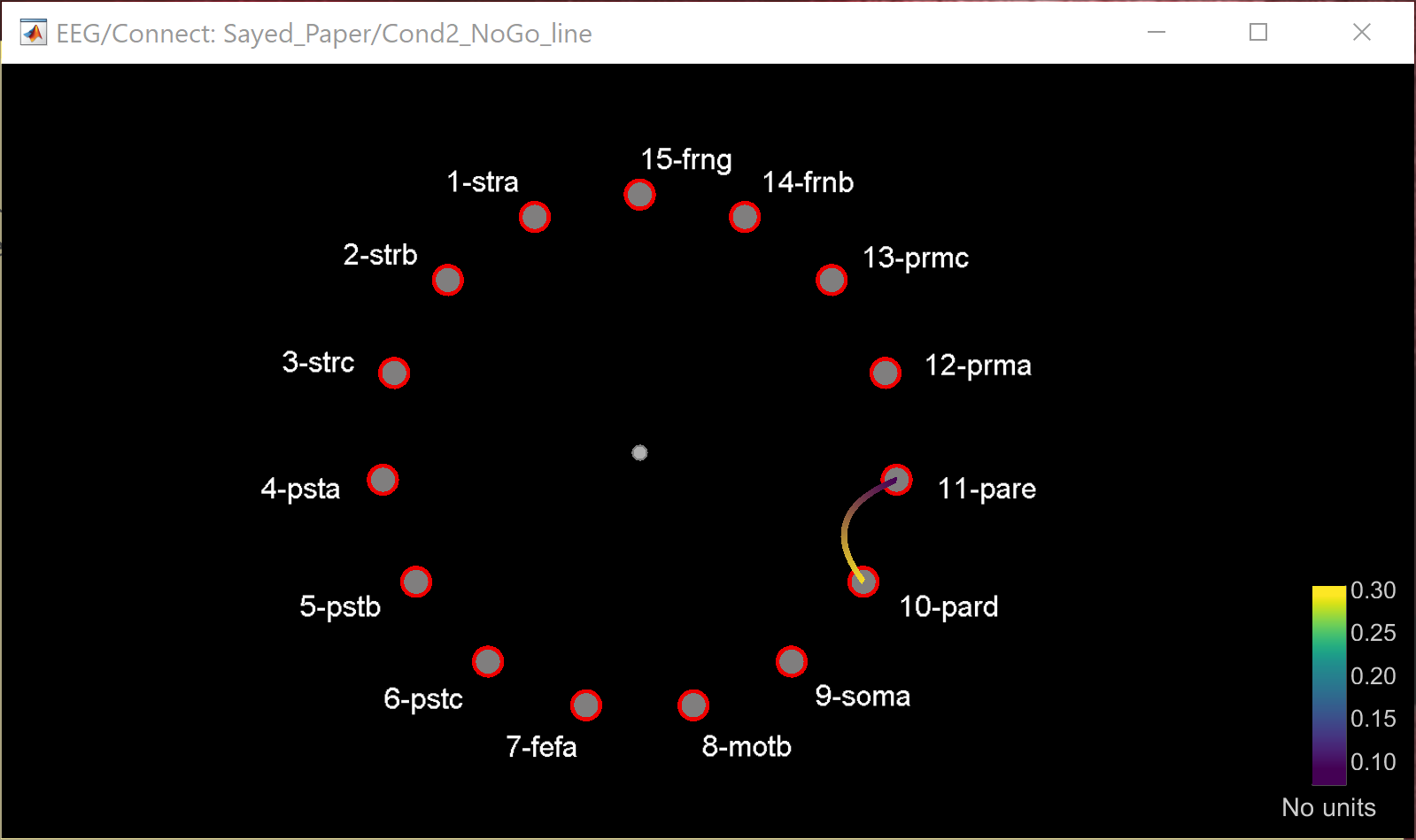
Late response: without ERP
- distance filtering : 0mm, threshold ~0.27, band1 12.5

Phase Transfer Entropy (PTE)
early with erp 0,1, b1. 0mm ...not relevant > recheck
Late response: without ERP
- distance filtering : 0mm, threshold ~0.27, band1 12.5
Phase Transfer Entropy (PTE)
early with erp 0,1, b1. 0mm ...not relevant > recheck
Additional documentation
Articles
- .
Tutorial