
Containers with Brainstorm
Authors: Takfarinas Medani, Malte Höltershinken, and Raymundo Cassani
Some Brainstorm functions and plugins rely on external software that is distributed as containers (for example: duneuro 2026). These containers are managed in Brainstorm as container plugins.
Container plugins are not usually installed alone, their installation is commonly as a dependency for a code plugin.
This page explains how containers are used by Brainstorm, and how set up your system to use them.
Introduction
A container is a packaged version of a software tool that includes everything it needs to run.
With containers:
You do not need to install additional libraries
- The software runs the same way on different computers
- Brainstorm can automatically download and use the required tools
You do not need prior knowledge of containers to use Brainstorm. 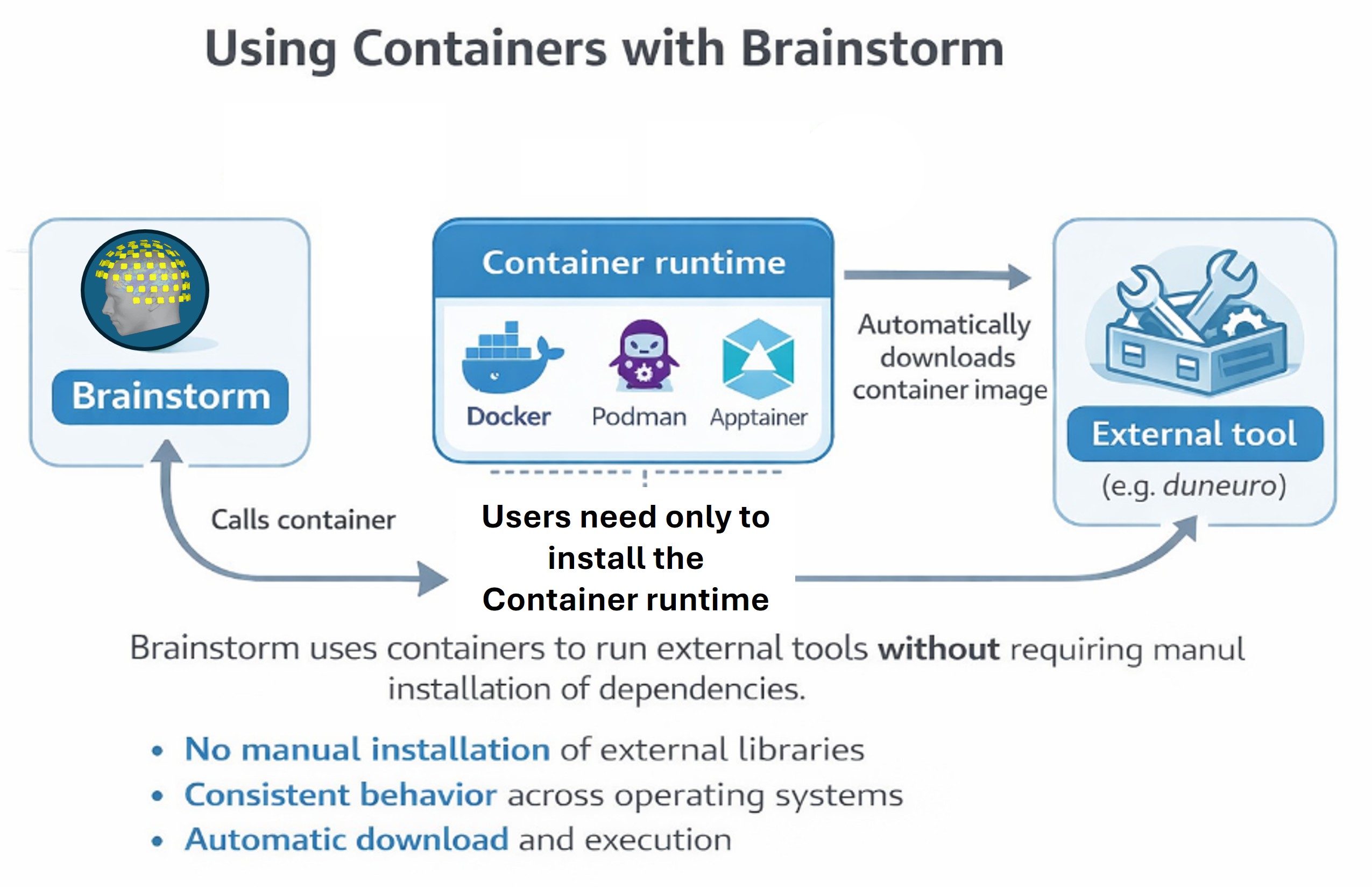
To be able to use containers with Brainstorm it is necessary to have a supported container engine.
Container engines
Brainstorm supports the following container engines:
Docker Desktop (recommended for most users)
TODO Podman (Linux alternative to Docker)
TODO Apptainer / Singularity (recommended on HPC clusters)
Brainstorm automatically detects which runtime is available on your system.
You need to install at least one of them.
Docker Desktop (recommended)
To install, be sure of follow the instructions for your OS:
Interactive management
SHOW THE GUI FOR CONTAINER PLUGINS
Command-line management
The calls to install or manage containers plugins are the same than for (code) plugins, see the plugin tutorial.
An API for low-level interaction between Brainstorm and the container engine has been implemented in bst_containers.m
For additional help, please consult the Brainstorm forum: Brainstorm Forum